
NEWS

New iPad Rumored To Be Released Towards End Of 2018

01/31/2018

2589

We are approaching that point in time where Apple’s iPad lineups are due for a refresh. It is speculated that maybe they could be announced at WWDC 2018, but now it seems that it could be even later, a recent report is suggesting where they claim that Apple’s new iPad could be released towards the end of the year.


The report is talking about Apple’s push into the chipset making business, where it mentions Apple’s various endeavors with creating its own chipsets, such as the A-series chipset, the W-series chipsets that are used to quickly pair Bluetooth devices, and more recently the Neural Engine which is an AI chip, and also custom GPUs that were used for the iPhone 8 and iPhone X.
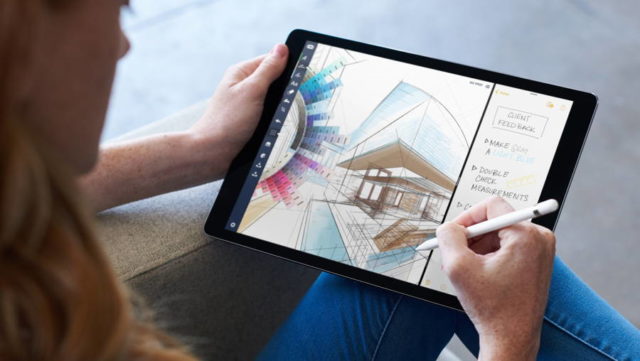

New iPad Rumored To Be Released Towards End Of 2018


The report reads in part, “The new iPad, due to be released toward the end of the year, will probably also include the Apple-designed graphics engine and AI chip.” Now we can’t be sure if the report is talking about a new and separate iPad, or if this is part of the iPad refresh. There have been signs indicating that Apple could be working on a “modern iPad”, which has been speculated to include Face ID and also slimmed down bezels.


It is unclear as this point in time if this iPad will be part of the iPad Pro family, or if it could represent a new iPad lineup. In any case we guess we’ll have to wait and see, but if you are planning on getting a new iPad, it’s probably best to hold off on your purchases for now if you’d rather futureproof your gadgets as much as possible.


Source: ubergizmo

Windows
Mac OS
iOS
Linux
3uTools
Win 64-bit For this device
V9.01 2025-12-27
Download
Win 32-bit For this device
V9.01 2025-12-27
Download
3uTools
Intel Chip How to Identify Chip Type
V9.01 2025-12-31
Download
Apple Silicon
V9.01 2025-12-31
Download
How to Identify Chip Type
1.  Click the Apple icon in the top-left corner of the screen and select About This Mac.
2.  Check the Processor or Chip field to determine if it is "Intel" or "Apple".
Please use the 3uTools PC client to install the iOS client:
1、 Install either the Windows or Mac version of 3uTools on your computer
2、 Open the PC client and connect your device to the computer via USB cable
3、 After the connection is successful, wait for the computer to automatically install the mobile app for the device, or locate “Install Mobile App” on the computer and manually click to install.
3uTools
deb file
V3.01 2025-11-20
Download
rpm file
V3.01 2025-11-20
Download
Windows
Windows
iOS
iOS
Android
Android
TV
TV
3uAirPlayer
Win 64-bit For this device
V6.0.2 2025-11-19
Download
Win 32-bit For this device
V6.0.2 2025-11-19
Download
iOS Device Mirroring (No App Required)
1、 Install 3uAirPlayer on the Windows PC
2、 Open Control Center and select Screen Mirroring
3、 From the list, choose your PC to start mirroring
4、 Or connect your iOS device to the PC via USB to begin mirroring
Scan to get "3uAirPlayer" App
3uAirPlayer TV V1.0.18
2025-11-28
TV System Requirements: Android 7.0 or later
Download the TV installation package, copy it to a USB drive, insert it into your TV or set-top box, then select the file from the home screen to install.




