 NEWS
NEWS
Apple Campus 2 Construction Finishing Up as Glass Installed in Atrium and Landscaping Expands
 11/30/2016
 5348
5348
With just over a month left in 2016, the latest drone video showing the progress on Apple Campus 2 has been shared online, letting fans check out the ongoing creation of Apple's newest campus. Construction on the site continues with progress being made on the glass panels for the atrium of the main building, as well as in the campus' solar panels and landscaping.
Solar panel installation is said to be 60 percent complete in Matthew Roberts' newest drone video (last month it was at 50 percent), and headway has been made on the entry-way atrium of the main spaceship building. This section of the campus has now had glass installed, covering from the floor to the ceiling of the building, and the design of the area is beginning to take shape.
Here's what the building will look like when it's finished:
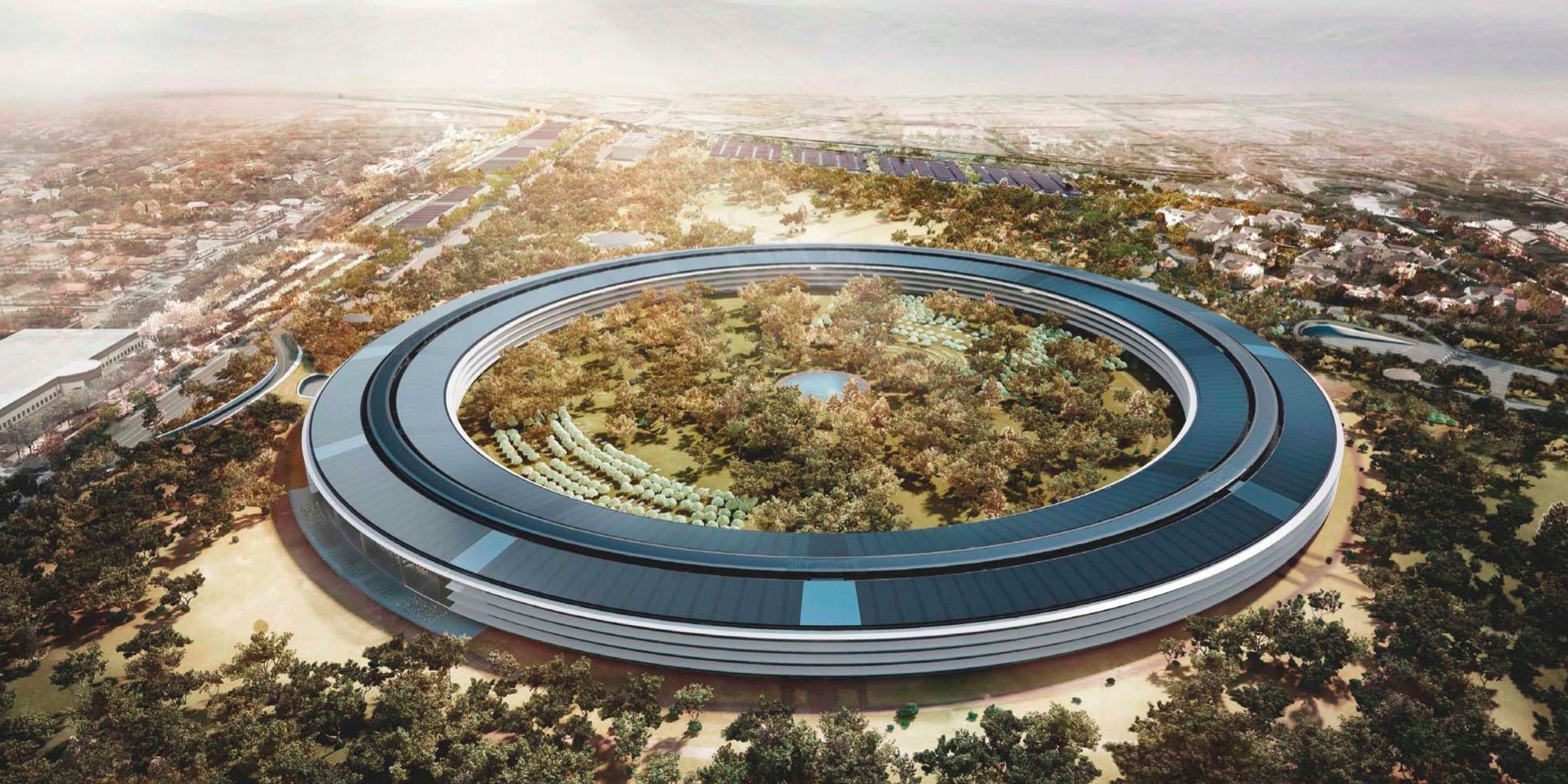
As is the case with these updates, landscaping is also seeing a rapid update. The large dirt mound used to prepare areas of the site for new trees and various fauna is now "nearly gone," with greenery sprouting up all over the campus, including large trees in front of the fitness center. The inside of the spaceship building is still full of construction equipment and work being done on the water feature and landscaping in the central courtyard.
Once construction is completed - predicted to be by the end of the year, but likely extending into 2017 - employees will begin to move into the building in early 2017. The grounds and landscape of the campus will see continued work throughout next year, following the completion of the main structures needed for the workers.
Source: MacRumors










