 NEWS
NEWS
Apple Goes All-out Red for World AIDS Day
 12/01/2017
 3452
3452
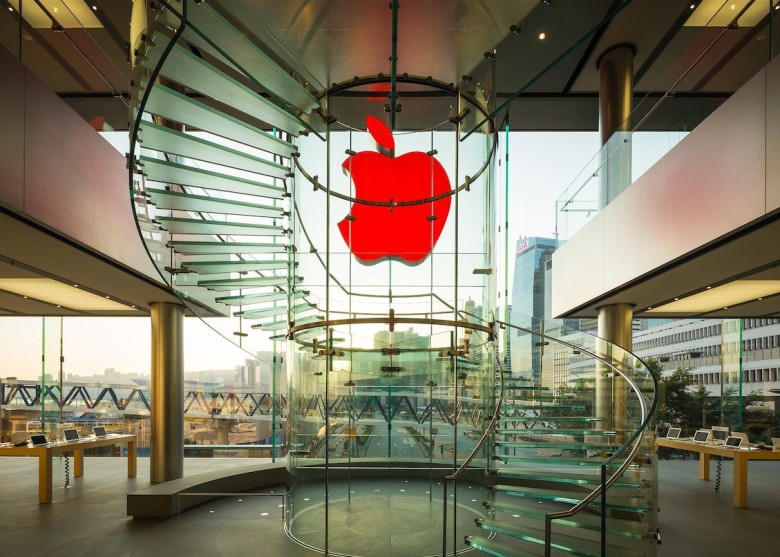
Apple is ready to go red for World AIDS Day.
More than 400 Apple Stores around the world will sport red logos next week, while every Apple Pay transaction will result in a donation to the Global Fund. Apple will also promote apps and games that support (RED).
Apple has been a major proponent of (RED) since the AIDS-fighting organization’s creation in 2006, and it’s easy to see why.
To date, the nonprofit has helped more than 37 million people living with HIV across the globe, and raised over half a billion dollars for the Global Fund. Today, 20.9 million people have access to lifesaving medication, up from 19.5 million at the end of 2016.
This #WorldAIDSDay we celebrate saving lives, through 144 million days’ worth of medication to prevent the transmission of HIV. Thanks to our customers for joining us in supporting (RED), and for bringing everyone closer to an AIDS-free generation. https://t.co/nFFWlAj3P0
— Tim Cook (@tim_cook) November 30, 2017
This year alone, Apple raised a record $30 million for the Global Fund. The company and its customers helped provide an equivalent of 475 million days of lifesaving medication over the last 11 years.
Apple backs World AIDS Day
To boost that, Apple will take steps to raise awareness of (RED) for World AIDS Day. Red logos will be displayed at more than 400 Apple stores around the world, and $1 will be donated to the Global Fund every time Apple Pay is used for a transaction.
What’s more, Apple will use the Today tab in the App Store to promote stories dedicated to the cause, including a behind-the-scenes look at how developers are supporting (RED).
King, one of the largest game developers on mobile, will roll out limited-edition bundles for titles like Candy Crush Saga, Candy Crush Jelly Saga and Candy Crush Soda Saga — with all proceeds going to the Global Fund.
“Apple’s commitment to the AIDS fight is unparalleled,” said (RED) CEO Deb Dugan. “It’s not just the staggering $160 million raised for the Global Fund that has impacted many millions of lives, it’s their ability to bring heat, awareness, energy and eyeballs to keep this issue front and center.”
(RED) thanks every Apple employee for helping it reach the $500 million milestone.
Source: cult of mac










