 NEWS
NEWS
5 years ago today, Evad3rs Dev Team began working on iOS 6 Jailbreak
 10/24/2017
 3645
3645
5 years ago today, Evad3rs Dev Team assembled and began working towards a common goal – delivering a jailbreak. Here’s all you need to know about it.
Developing evasion jailbreak for iOS 6
As soon as Apple released iOS 6, several jailbreak developers came forward to develop the next jailbreak. This is a very important piece of jailbreak history that a lot of newbies are not aware of.
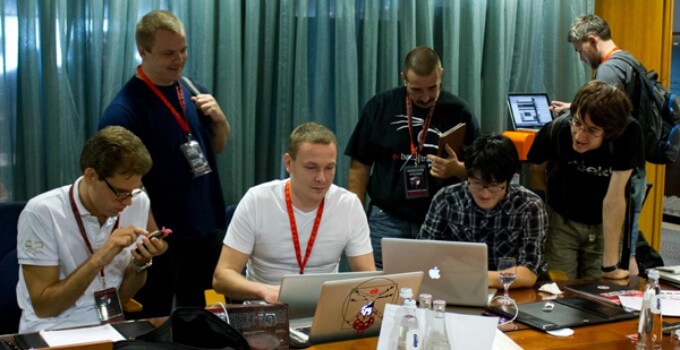
Here’s a list of all the developers who were a part of this hacking team –
Pimskeks
Planetbeing
Pod2g
Musclenerd
This was back in the days when jailbreak teams used to actually compete with each other, unlike now.
Unfortunately, those days are gone now and all of these hackers have now moved on with their lives and are no longer active on the jailbreak scene. Musclenerd and pod2g have completely abandoned all development.
Some of them, such as Planetbeing and Pimskeks, still make the occasional appearance in information security conferences. However, all of them stay miles away from anything involving iOS jailbreaking.
Evasion jailbreak drama
Just like any other jailbreak, this tool also had its fair share of drama. The developers created a website and started a percentage countdown to the jailbreak release date.
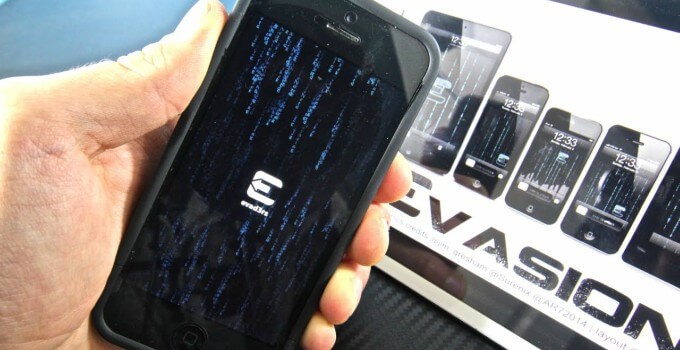
One Reddit user reverse-engineered the countdown and made its code public. The countdown was, in fact, based on an algorithm and was updating steadily and had no connection whatsoever with the actual release date.
Some users began arguing that the jailbreak was already complete and the developers were doing this to gain ad revenue.
Despite all the setbacks and trolling, Evad3rs went on to deliver an untethered iOS 6 jailbreak. This jailbreak was called Evasi0n and was one of the most stable and user-friendly jailbreak tools ever created.
Source: Yalu JR










