 NEWS
NEWS
Project Loon Balloons Bring LTE Service to Puerto Rico With Help From Apple
 10/23/2017
 2894
2894
On Wednesday, Apple announced that it will, with AT&T's help, enable the 900 MHz Band 8 ban cell service on many iPhones in Puerto Rico. That band can only connect to Alphabet's Project Loon. (The airborne connectivity system is now run by X, formerly Google X. Both Google and X are owned by Alphabet.)
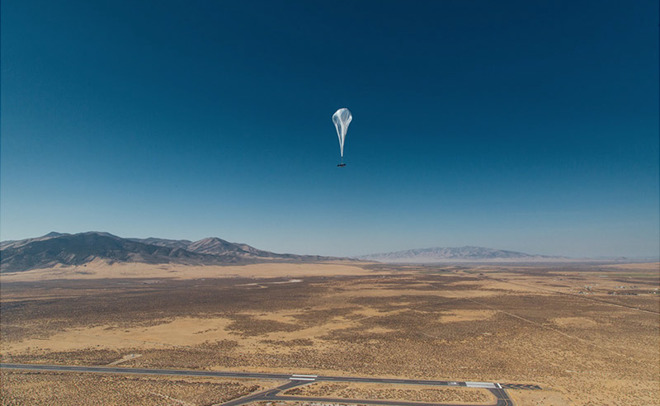
Earlier this month, Alphabet got the okay to float its still-experimental, helium-balloon-based connection technology over the storm-ravaged island. The Loon balloons are designed to provide internet connectivity for rural areas and operate, more or less, as unmoored cell-towers, floating in the stratosphere and staying aloft for six months. A network carrier, like AT&T, communicates from the ground with the nearest Loon balloon and the balloons communicate with each other. The balloons can provide up to a 10 Mbps LTE connectivity for cellphone owners on the ground.
However, before AT&T iPhone owners (iPhone 5c and above running iOS 10 and higher) can connect to Alphabet's Loon balloons, they need a crucial carrier update which will enable the 900 MHz Band 8. The iPhone's mobile broadband radio already supports the provisional band, it's just not enabled on the phone so the device doesn't waste battery power scanning for a band that usually doesn't have service. Puerto Rico residents with other LTE phone brands will also be able to connect to the Loon balloons.
According to StatusPR, a governmental web site dedicated to tracking Puerto Rica's infrastructure in the wake of Hurricane Maria, more than half of the U.S. territory's cell towers are out of commission and 75% of cell antennas are still not functional.
There are pockets of connectivity and, overall, StatusPR reports 61% of Puerto Rico's telecommunication system is back online. This, however, includes wired and wireless systems. It's not clear if AT&T iPhone customers can also download that carrier update from wired systems.
Source: mashable










