 NEWS
NEWS
Charitybuzz Auctioning Off Vintage 'Schoolsky' Apple-1 Computer
 09/14/2017
 4237
4237
Charitybuzz today launched an auction for a rare Apple-1 computer known as the "Schoolsky" Apple-1. The Schoolsky Apple-1 earned its name from Adam Schoolsky, who was gifted the computer by Steve Wozniak when he worked at Apple. It was never sold to the public.
David Larson, who purchased the computer from Adam Schoolsky in 1994, is selling it via Charitybuzz. The Apple-1 was constructed by Steve Wozniak and it is in working condition.
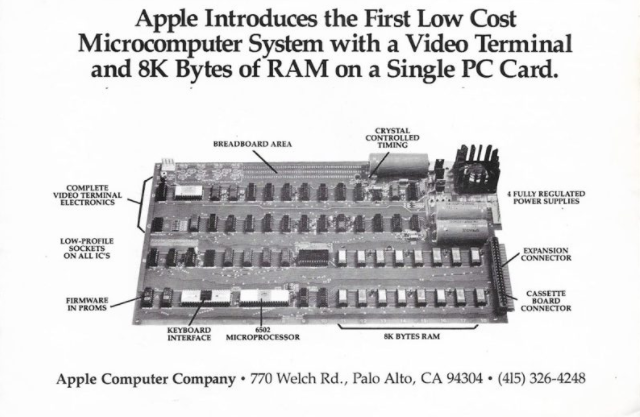
It comes with an original Apple-1 operation manual, original box, Apple-1 Cassette Interface Card and early cassette, an original advertisement for the Apple-1, three issues of 1970s magazine the Silicon Gulch Gazette, a conference program for the first West Coast Computer Faire, a letter from Adam Schoolsky to David Larson, a drawing from original Apple employee Ron Wayne, and more.
The Apple-1 Cassette Interface Card in particular is a rare find with an Apple-1, as most of the surviving machines do not include it. The card is designed to allow the Apple-1 to be connected to a cassette recorder.
Back when the company was first founded, Apple made 175 Apple-1 machines by hand. Only 50 to 60 of the machines still exist today, and just a handful of those are functional.
Previous Apple-1 auctions have brought in up to $905,000. The last Charitybuzz auction for an Apple-1, the "Celebration" model, sold for $815,000.
A portion of the proceeds from the Charitybuzz auction will benefit the Foundation for Amateur International Radio Service, aka FAIRS. Founded in 1991, FAIRS educates citizens about disaster preparedness and provides radio equipment and technology for areas in need.
Source: macrumors










