 NEWS
NEWS
A Young Father, Victim of A Car Accident, Sues Apple
 08/28/2017
 3243
3243
Apple is facing an increasing number of lawsuits centered around allegations that it is responsible for accidents caused by users who are driving while distracted by their smartphone. One case, however, has been thrown out by Santa Clara County Superior Court Judge Maureen A. Folan…
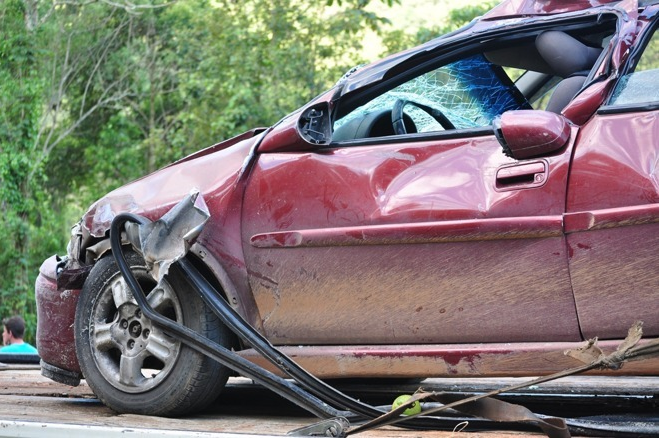
The case was brought to court by David Riggs, whose son was killed in 2013 when he was hit by a driver who was texting. The driver was charged with a misdemeanor for driving while distracted by his iPhone, but Riggs wanted to place the blame on Apple for its failure to implement a lockout system.
The case was thrown based partly on precedent set by a 2016 lawsuit that likewise argued Apple was responsible for distracted driving accidents. That case determined that to assume Apple was “actually responsible for the ultimate harm” was unreasonable.
Similarly, Judge Folan stated in his ruling that Riggs’ agreement for blaming the accident on Apple was “attenuated.” The case was thrown out with precedent and therefore cannot be refiled under the same claim.
Earlier this year, a smilier class action lawsuit that aimed to place blame on Apple for distracted driving accidents. The case argued that by refusing to implement a lockout system to prevent texting while driving, Apple puts profits ahead of user safety. That case is still ongoing.
As part of iOS 11, Apple is introducing a new Do Not Disturb While Driving feature that blocks incoming notifications while a vehicle is in motion. For texts, there’s an option to send an automatic reply telling the other person you’re driving, while calls are allowed as long as the iPhone is connected to a car’s Bluetooth system. In a poll we ran earlier this year, the majority of respondents said it’s not Apple’s responsibility to create a complete lockout mode to prevent texting and driving.
Source: 9to5mac










