
NEWS

Apple’s Latest Patents Hint at iPhone Pencil Support

08/25/2017

2553

Apple could be considering allowing iPhone users to take advantage of its Pencil stylus, if new patent filings are any indication.


Apple news-tracking site Patently Apple has uncovered two patent applications the tech giant filed with the U.S. Patent and Trademark Office (USPTO) that suggest it's considering stylus support for the iPhone. The company specifically mentions the iPhone in the patent applications, according to the site.


The first patent application describes a "noise correct" feature for a touch device that works with a stylus. According to Patently Apple, the patent application describes how a stylus could work with both a "smartphone or tablet," and goes on to specifically cite an iPhone or iPad. The other patent application describes a technology for improving stylus accuracy and precision in a smartphone.
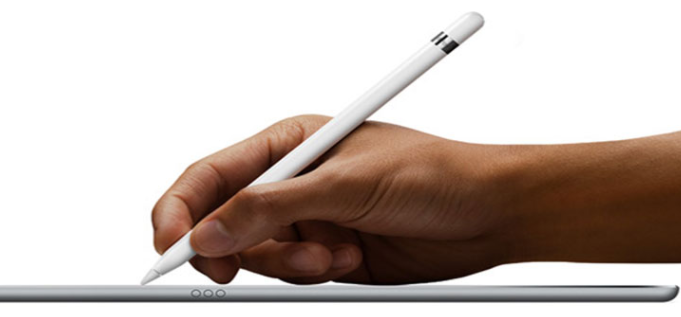

Apple’s Latest Patents Hint at iPhone Pencil Support


For its part, Apple hasn't indicated itself that it would bring Pencil support to the iPhone, and like other big tech companies, the device maker files for patents all the time on technologies that won't necessarily be released. Yet the patents at least suggest Apple is thinking about stylus support for the iPhone, which would likely compete against the S Pen-Galaxy Note 8 combination.


Source: fortune

Windows
Mac OS
iOS
Linux
3uTools
Win 64-bit For this device
V9.0 2025-11-11
Download
Win 32-bit For this device
V9.0 2025-11-11
Download
3uTools
Intel Chip How to Identify Chip Type
V9.0 2025-12-02
Download
Apple Silicon
V9.0 2025-12-02
Download
How to Identify Chip Type
1.  Click the Apple icon in the top-left corner of the screen and select About This Mac.
2.  Check the Processor or Chip field to determine if it is "Intel" or "Apple".
Please use the 3uTools PC client to install the iOS client:
1、 Install either the Windows or Mac version of 3uTools on your computer
2、 Open the PC client and connect your device to the computer via USB cable
3、 After the connection is successful, wait for the computer to automatically install the mobile app for the device, or locate “Install Mobile App” on the computer and manually click to install.
3uTools
deb file
V3.01 2025-11-20
Download
rpm file
V3.01 2025-11-20
Download
Windows
Windows
iOS
iOS
Android
Android
TV
TV
3uAirPlayer
Win 64-bit For this device
V6.0.2 2025-11-19
Download
Win 32-bit For this device
V6.0.2 2025-11-19
Download
iOS Device Mirroring (No App Required)
1、 Install 3uAirPlayer on the Windows PC
2、 Open Control Center and select Screen Mirroring
3、 From the list, choose your PC to start mirroring
4、 Or connect your iOS device to the PC via USB to begin mirroring
Scan to get "3uAirPlayer" App
3uAirPlayer TV V1.0.18
2025-11-28
TV System Requirements: Android 7.0 or later
Download the TV installation package, copy it to a USB drive, insert it into your TV or set-top box, then select the file from the home screen to install.




