 NEWS
NEWS
Nestlé is Sued Over a Game Designed by Apple’s Co-founders
 08/23/2017
 3559
3559
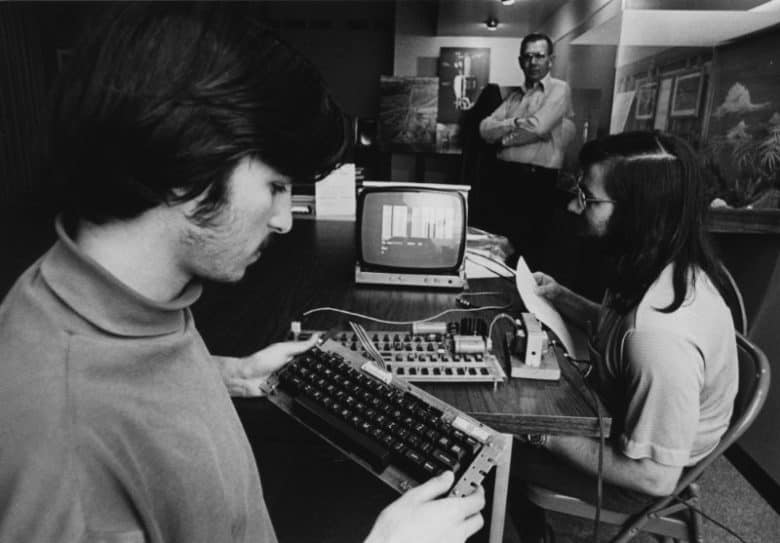
A video game co-created by Apple founders Steve Wozniak and Steve Jobs is at the center of a lawsuit between Atari and confectionary company Nestlé, concerning an ad which screened in the U.K.
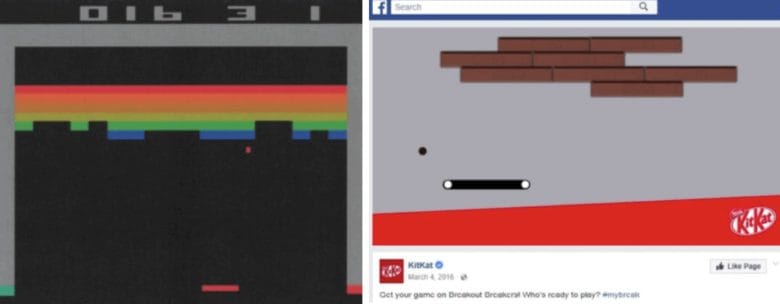
The 30-second advert was intended to promote Kit Kat, a chocolate bar made by Nestlé in the United Kingdom (in the U.S. it is manufactured by the Hershey Company). It showed a modified, unlicensed version of the 1975 Atari game Breakout — only with chocolate instead of bricks.
And Atari’s none too happy about it!
Atari claims the ad is designed to, “leverage Breakout and the special place it holds among nostalgic Baby Boomers, Generation X, and even today’s Millennial and post-Millennial ‘gamers’ in order to maximize the advertisement’s reach.”
The commercial was screened in the U.K., although it was also — until recently — available online elsewhere in the world. It showed various gamers competing against one another.
How Steve Jobs and Wozniak got involved
Breakout was originally designed in 1975 to capitalize on the popularity of Pong, only with the added benefit of working as a single player game. It involves a player moving a paddle back and forth across the screen, bouncing balls at a wall to smash blocks.
Atari founder Nolan Bushnell assigned Steve Jobs to design a prototype of the game for $750, with a bonus for creating a design that used the minimum of TTL (transistor-transistor logic) chips.
Jobs called in Steve Wozniak, who had previously designed a version of Pong using only 30 chips. Jobs convinced Woz to work with him in exchange for splitting the fee. Woz managed to complete the game after working four nights at Atari, while balancing his then-job working at Hewlett-Packard.
The final project contained sufficiently few chips that Jobs earned a $5,000 bonus, which he didn’t tell Woz about: instead claiming he had only been promised $700. When Woz found out about Steve’s deception years later, he was deeply hurt by it.
(Ultimately, Atari was also unable to use Woz’s design because it was too difficult to manufacture on account of how compact it was.)
A gaming classic
Today, Breakout stands as a classic video game, and — according to Atari’s lawyers — an “an icon of early Silicon Valley ingenuity.” Its lawsuit asks for damages based on infringement of copyrights and trademarks, alongside unfair competition and trademark dilution.
Source: cult of mac










