 NEWS
NEWS
iPhone 7 Remained World's Most Popular Smartphone Model in June Quarter
 08/17/2017
 3158
3158
iPhone 7 and iPhone 7 Plus remained the world's most popular smartphones in the second quarter, ahead of Samsung's newer Galaxy S8 and Galaxy S8+, according to market research firm Strategy Analytics. 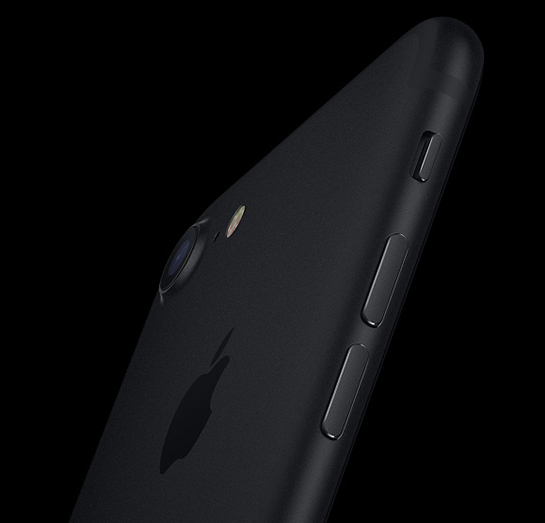
Apple shipped an estimated 16.9 million iPhone 7 units and 15.1 million iPhone 7 Plus units worldwide in the quarter, which corresponds with April through June, according to the firm's latest Smartphone Model Tracker report.
"iPhone 7 remains the world's most popular smartphone model overall, due to a compelling blend of user-friendly design, extensive supporting apps, and widespread retail presence for the device," said Juha Winter, Senior Analyst at Strategy Analytics.
Strategy Analytics estimates Galaxy S8 and Galaxy S8+ shipments totaled 10.2 million and 9 million respectively in the quarter. The smartphones, released in April, were the world's third and fourth most popular during the period. 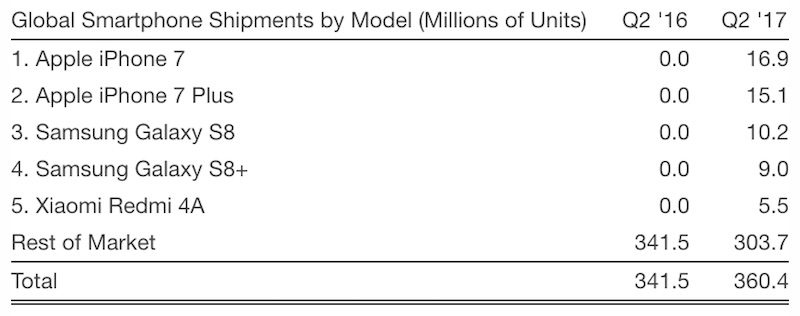
"Samsung's Galaxy S8 has instantly become the world's most popular Android smartphone model, due to its attractive curved-screen design, a rich portfolio of software apps, and best-in-class retail distribution across dozens of countries," said Neil Mawston, Executive Director at Strategy Analytics.
Rounding off the top five was Chinese smartphone maker Xiaomi's budget Redmi 4A handset with an estimated 5.5 million quarterly shipments.
Apple reported it sold 41 million iPhones last quarter, but it doesn't break down the number on a model-by-model basis. Apple CEO Tim Cook did note the iPhone 7 remained its most popular iPhone.
iPhone results were impressive, with especially strong demand at the high end of our lineup. iPhone 7 was our most popular iPhone, and sales of iPhone 7 Plus were up dramatically compared to 6s Plus in the June quarter of last year. The combined iPhone 7 and 7 Plus family was up strong double digits year over year. One decade after the initial iPhone launch, we have now passed 1.2 billion cumulative iPhones sold.
Android still remains the world's most widely adopted mobile operating system by a significant margin given the hundreds of smartphone models running that platform. Android accounted for 67 percent of U.S. smartphone activations in the second quarter, according to Consumer Intelligence Research Partners.
iPhone 6s was similarly the world's most popular smartphone model last year, according to market research firm IHS Markit.
Source: macrumors










