NEWS

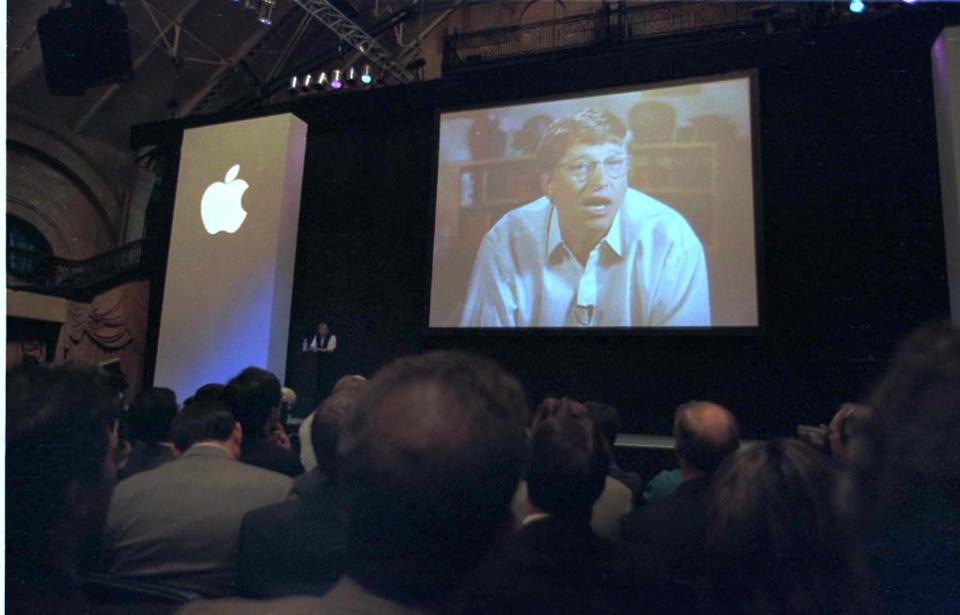
Microsoft Helps Apple Become The Most Valued U.S. Company

08/14/2017

2610

Microsoft Helps Apple Become The Most Valued U.S. Company


This week’s milestones in the history of technology include Microsoft’s investment in Apple, the release of the first animated cartoon and Pixar’s first film, the first machine in the U.S. computing at electronic speeds, and the bundling of Internet Explorer.


August 14, 1940

John Atanasoff completes the paper “Computing Machine for the Solution of large Systems of Linear Algebraic Equations,” describing what became to be known as the Atanasoff-Berry Computer (ABC), arguably the first machine built in the United States to compute at electronic speeds.


August 15, 1994

Microsoft engineer Ben Slivka sends an email message suggesting to his colleagues that a World Wide Web browser should be bundled with the Windows 95 operating system. Released on August 16, 1995, Internet Explorer reached peak browser market share (95%) in 2003.


August 16, 1858

Queen Victoria sends the first official telegraph message across the Atlantic Ocean, from London to United States President James Buchanan in Washington D.C. Transmission of the congratulatory message begins at 10:50am and won’t be completed until 4:30am the next day, taking nearly eighteen hours to reach Newfoundland, Canada.


Source: Forbes

Windows
Mac OS
iOS
Linux
3uTools
Win 64-bit For this device
V9.0 2025-11-11
Download
Win 32-bit For this device
V9.0 2025-11-11
Download
3uTools
Intel Chip How to Identify Chip Type
V9.0 2025-12-02
Download
Apple Silicon
V9.0 2025-12-02
Download
How to Identify Chip Type
1.  Click the Apple icon in the top-left corner of the screen and select About This Mac.
2.  Check the Processor or Chip field to determine if it is "Intel" or "Apple".
Please use the 3uTools PC client to install the iOS client:
1、 Install either the Windows or Mac version of 3uTools on your computer
2、 Open the PC client and connect your device to the computer via USB cable
3、 After the connection is successful, wait for the computer to automatically install the mobile app for the device, or locate “Install Mobile App” on the computer and manually click to install.
3uTools
deb file
V3.01 2025-11-20
Download
rpm file
V3.01 2025-11-20
Download
Windows
Windows
iOS
iOS
Android
Android
TV
TV
3uAirPlayer
Win 64-bit For this device
V6.0.2 2025-11-19
Download
Win 32-bit For this device
V6.0.2 2025-11-19
Download
iOS Device Mirroring (No App Required)
1、 Install 3uAirPlayer on the Windows PC
2、 Open Control Center and select Screen Mirroring
3、 From the list, choose your PC to start mirroring
4、 Or connect your iOS device to the PC via USB to begin mirroring
Scan to get "3uAirPlayer" App
3uAirPlayer TV V1.0.18
2025-11-28
TV System Requirements: Android 7.0 or later
Download the TV installation package, copy it to a USB drive, insert it into your TV or set-top box, then select the file from the home screen to install.