 NEWS
NEWS
Apple Experimenting With Several Augmented Reality Glasses Prototypes
 08/07/2017
 4286
4286
Apple is working on "several different kinds" of wearable augmented reality prototypes as it tries to figure out the "most compelling application" for an AR headset, reports Financial Times.
Citing sources with knowledge of Apple's plans, Financial Times says at least one group within Apple is pushing for a pair of glasses that feature a 3D camera but no screens, making the iPhone the main display, similar to Snap's Spectacles, but no final design decisions have been made. 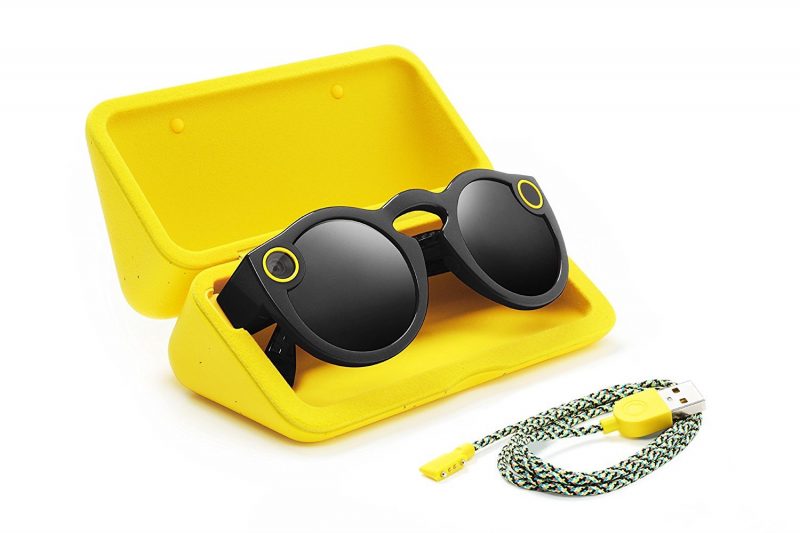
Rumors of Apple's work on AR smart glasses first surfaced in 2016, and previous rumors have suggested the glasses will connect wirelessly to the iPhone, much like the Apple Watch, and will display "images and other information to the wearer."
While Robert Scoble suggested Apple could launch the smart glasses this year through a partnership with Carl Zeiss, most rumors (like today's) suggest Apple is still in a prototyping phase and that a launch is still a ways off.
Earlier this year, Financial Times said Apple was "stepping up" development on an augmented reality wearable, but a potential launch is at least a year away or longer. Bloomberg has predicted a similar timeline, suggesting Apple is perhaps aiming to launch a product in 2018.
As Apple works on AR smart glasses, the company is preparing to make its first major move into augmented reality with the launch of iOS 11 and ARKit, a set of APIs designed to allow developers to build powerful augmented reality experiences into apps and games. When ARKit launches, the iPhone and the iPad will become the largest augmented reality platform in the world given the large number of devices already out in the wild.
Over the course of the past several months, Apple CEO Tim Cook has talked about Apple's work on augmented reality several times. Just this past week, he called it "big and profound" and said he "could not be more excited" about AR and what developers are creating with ARKit.
"This is one of those huge things that we'll look back and marvel at the start of it," he said.
Source: macrumors










