 NEWS
NEWS
Apple Used Bluetooth Low Energy Audio for Cochlear Implant iPhone Accessory
 08/04/2017
 3269
3269
Late last month Apple revealed it had partnered with hearing aid company Cochlear to launch the first Made For iPhone Cochlear implant, which can stream audio from an iOS device directly to a surgically embedded sound processor.
Now, in a new Wired article titled "How Apple is Putting Voices in Users' Heads – Literally", the company has offered up a few more details on how it was able to achieve the technical feat of transmitting high bandwidth data to such a low-powered device. 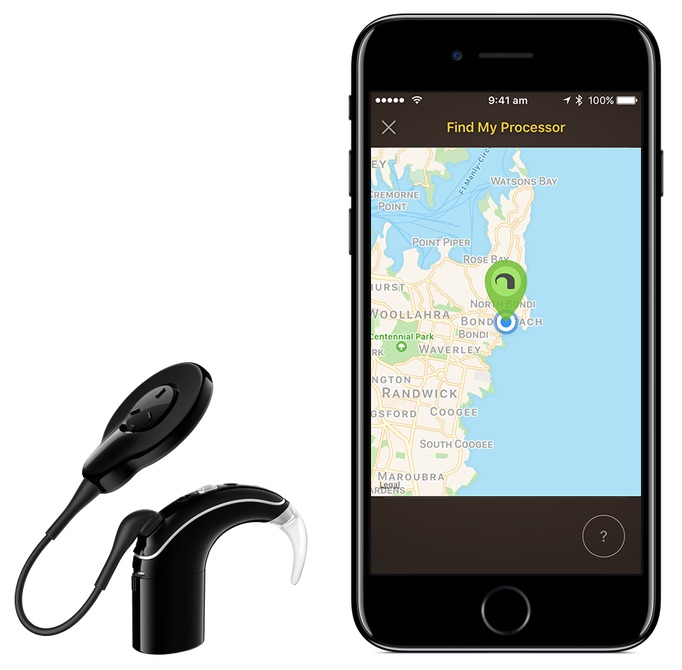
To solve the problem of streaming high-quality audio without draining the tiny zinc batteries in hearing aids, Apple's accessibility team essentially had to create a more advanced version of the existing Bluetooth Low Energy profile.
Bluetooth LE is only meant to be used to send low-bandwidth data signals, like getting heart rate monitor readings from wearables, so Apple developed a more advanced version called Bluetooth Low Energy Audio (BLEA), which can stream high quality audio whilst preserving the LE profile's battery-extending properties.
Apple has had BLEA in the works for some time, and the profile appeared in patents dating back to 2014, but this is the first time Apple has spoken about using the profile in an actual consumer product.
Sarah Herrlinger, Apple's director of global accessibility policy, summarized the company's efforts with the following comments:
"While our devices have been built to support hearing aids for years, we found that the experience of people trying to make a phone call was not always a good one. So we brought together a lot of people in different areas around the company to start investigating ways to make the process easier."
"Our goal was to get rid of all those extra things that need batteries and can get in the way, so when a phone call comes in you just hit the button to answer it and that sound is streaming into your hearing aid."
The technical detail about the Bluetooth profile is revealed in the context of the story of implant wearer Mathias Bahnmueller, a 49-year-old who suffers from hearing loss and uses the system developed by Apple and Cochlear. Called the Nucleus 7 sound processor, the device won FDA approval in June and is the first of its kind in the hearing aid industry.
The extended article is certainly worth a read, and Tim Cook has already shared the piece on Twitter, saying he is proud of the work Apple is doing in this area.
Source: macrumors










