
NEWS

Apple Files Patent for Screen with Privacy-viewing Options

08/04/2017

2857

Apple is working on a screen that would allow for increased privacy on portable devices such as the iPhone and iPad, according to a patent application published Thursday.


Apple's application, entitled "Displays With Adjustable Angles-of-View," discusses using an electrically adjustable lens array that can modify backlight illumination to narrow the display's angle of view. While larger and wider screens have become all the rage, Apple sees the benefit of an occasionally smaller viewing area.
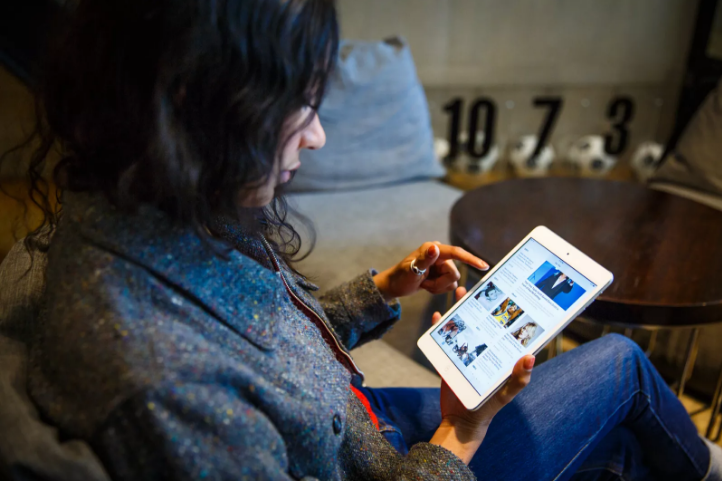

Apple Files Patent for Screen with Privacy-viewing Options


"Displays are typically designed to display images over a relatively wide angle of view to accommodate movements in the position of a viewer relative to the display," Apple said in its application. "In some situations, such as when a user of a laptop or other device with a display is using the device in public, the wide viewing angle is undesirable as it compromises privacy."


Rather than using an attachable filter, this approach would be integrated into the display in a series of substrate layers, with a layer of liquid crystal material sandwiched between. The substrate layers then might include a color filter and thin-film transistor.


The liquid crystal layer could then be controlled using electrodes, changing portions of the filter layer to a dark or translucent state and restricting the display's angle of view.


Source: cnet

Windows
Mac OS
iOS
Linux
3uTools
Win 64-bit For this device
V9.0 2025-11-11
Download
Win 32-bit For this device
V9.0 2025-11-11
Download
3uTools
Intel Chip How to Identify Chip Type
V9.0 2025-12-02
Download
Apple Silicon
V9.0 2025-12-02
Download
How to Identify Chip Type
1.  Click the Apple icon in the top-left corner of the screen and select About This Mac.
2.  Check the Processor or Chip field to determine if it is "Intel" or "Apple".
Please use the 3uTools PC client to install the iOS client:
1、 Install either the Windows or Mac version of 3uTools on your computer
2、 Open the PC client and connect your device to the computer via USB cable
3、 After the connection is successful, wait for the computer to automatically install the mobile app for the device, or locate “Install Mobile App” on the computer and manually click to install.
3uTools
deb file
V3.01 2025-11-20
Download
rpm file
V3.01 2025-11-20
Download
Windows
Windows
iOS
iOS
Android
Android
TV
TV
3uAirPlayer
Win 64-bit For this device
V6.0.2 2025-11-19
Download
Win 32-bit For this device
V6.0.2 2025-11-19
Download
iOS Device Mirroring (No App Required)
1、 Install 3uAirPlayer on the Windows PC
2、 Open Control Center and select Screen Mirroring
3、 From the list, choose your PC to start mirroring
4、 Or connect your iOS device to the PC via USB to begin mirroring
Scan to get "3uAirPlayer" App
3uAirPlayer TV V1.0.18
2025-11-28
TV System Requirements: Android 7.0 or later
Download the TV installation package, copy it to a USB drive, insert it into your TV or set-top box, then select the file from the home screen to install.




