 NEWS
NEWS
Microsoft Website Reveals Touch Cover Keyboard for Apple's iPad
 08/03/2017
 2865
2865
A reference to an iPad keyboard accessory from Apple rival Microsoft was discovered on the Windows maker's website, suggesting the company may have a new wireless accessory in the works for the market's top tablet.
Whether the hardware is forthcoming or was a scrapped project, it's openly mentioned on Microsoft's site, on a page listing products with integrated lithium batteries. The inclusion of a battery in the Microsoft Touch Cover for iPad would suggest that the keyboard accessory is Bluetooth, and does not sync over the Smart Connector port.
The page offers little else on the so-called "iPad Touch Cover" aside from a model number: 1719. It was first spotted by WinFuture.
The Touch Cover branding was first used for a 3-millimeter thick keyboard created for Microsoft's own iPad competitor, the Surface tablet. The unique offering was a flat piece of fabric that lacked real keys, striving for thinness but achieving mixed reviews.
Since then, the derided Touch Cover has been rebranded the Surface Type Cover, offering more proper keys for a better typing experience.
The fact that the apparent iPad product uses the older Touch Cover name might suggest that the listing is an outdated, unreleased reference. Or, conversely, perhaps Microsoft plans to explore the concept once again, creating an ultra-thin text input accessory for Apple's iPad.
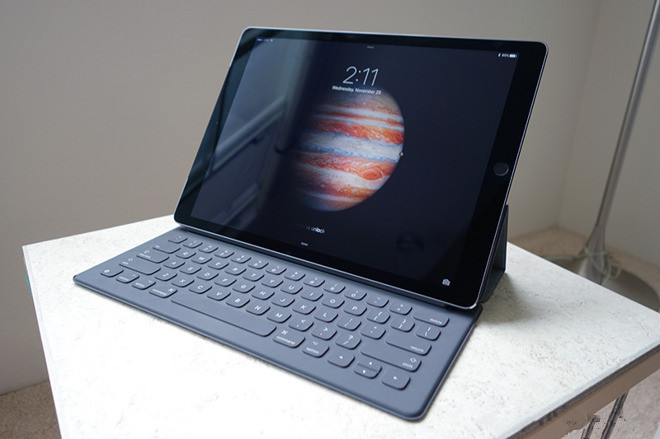
Apple offers its own thin Smart Keyboard for the iPad Pro, achieving a battery-less design thanks to the use of the magnetic Smart Connector port. It sports a woven nylon key cover that prevents slippage, is sealed against liquid spills, and provides a rebound effect that replaces the need for physical springs when pressing the keys.
Source: appleinsider










