NEWS

Spotify Dominates Apple Music When it Comes to Paid Subscribers

08/02/2017

2489

Spotify Dominates Apple Music When it Comes to Paid Subscribers


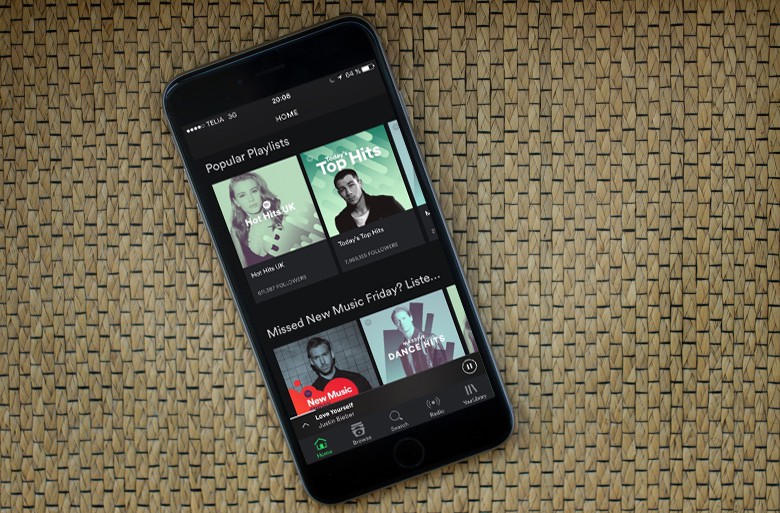
Spotify has extended its lead on Apple Music when it comes to paid subscribers, according to a new report that claims the streaming music service has broken the 60 million threshold.


Apple Music still hasn’t passed hit the 30 million mark yet, or if it has, Apple hasn’t made that news public yet. Last time Apple Music revealed its numbers the service only had 27 million paid subscribers.


Spotify vs Apple Music

Total active users on Spotify now total over 140 million. Unlike Apple Music, Spotify offers a free streaming tier that is ad supported.


Spotify last revealed its subscriber numbers in March. At the time the company had 50 million subscribers and it appears to be acquiring subscribers faster than Apple Music.


Apple may reveal its own subscriber count tomorrow during its Q3 2017 earnings call. The company’s services have become an increasingly important category for its total revenues. Apple Music combined with iTunes, the App Store, iCloud and Apple Pay is expected to be the size of a Fortune 500 company by the end of 2017.


Spotify reportedly plans to file an IPO later this year. The company’s stock should be available as a direct listing on the New York Stock Exchange by the end of the year.


Source: cult of mac

Windows
Mac OS
iOS
Linux
3uTools
Win 64-bit For this device
V9.0 2025-11-11
Download
Win 32-bit For this device
V9.0 2025-11-11
Download
3uTools
Intel Chip How to Identify Chip Type
V9.0 2025-12-02
Download
Apple Silicon
V9.0 2025-12-02
Download
How to Identify Chip Type
1.  Click the Apple icon in the top-left corner of the screen and select About This Mac.
2.  Check the Processor or Chip field to determine if it is "Intel" or "Apple".
Please use the 3uTools PC client to install the iOS client:
1、 Install either the Windows or Mac version of 3uTools on your computer
2、 Open the PC client and connect your device to the computer via USB cable
3、 After the connection is successful, wait for the computer to automatically install the mobile app for the device, or locate “Install Mobile App” on the computer and manually click to install.
3uTools
deb file
V3.01 2025-11-20
Download
rpm file
V3.01 2025-11-20
Download
Windows
Windows
iOS
iOS
Android
Android
TV
TV
3uAirPlayer
Win 64-bit For this device
V6.0.2 2025-11-19
Download
Win 32-bit For this device
V6.0.2 2025-11-19
Download
iOS Device Mirroring (No App Required)
1、 Install 3uAirPlayer on the Windows PC
2、 Open Control Center and select Screen Mirroring
3、 From the list, choose your PC to start mirroring
4、 Or connect your iOS device to the PC via USB to begin mirroring
Scan to get "3uAirPlayer" App
3uAirPlayer TV V1.0.18
2025-11-28
TV System Requirements: Android 7.0 or later
Download the TV installation package, copy it to a USB drive, insert it into your TV or set-top box, then select the file from the home screen to install.