
NEWS

More iPhone 8 Renders

07/31/2017

2810

Designer Martin Hajek has shared some more 'iPhone 8' renders. The new images show a slightly narrower front bezel than his previous model.
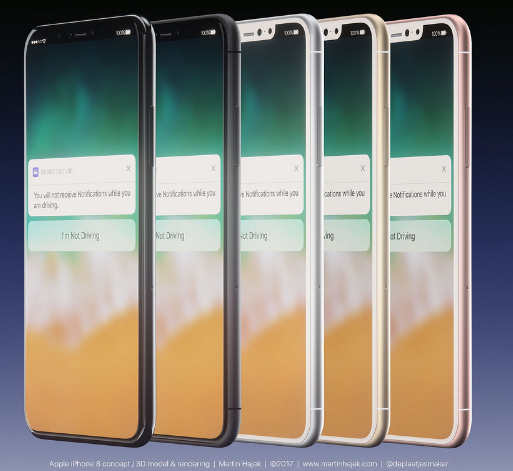
More iPhone 8 Renders


This is a highly detailed preview of the upcoming iPhone 8. The design is based on leaks found on the internet throughout May 2017. Final version of the iPhone 8 may differ from this model.
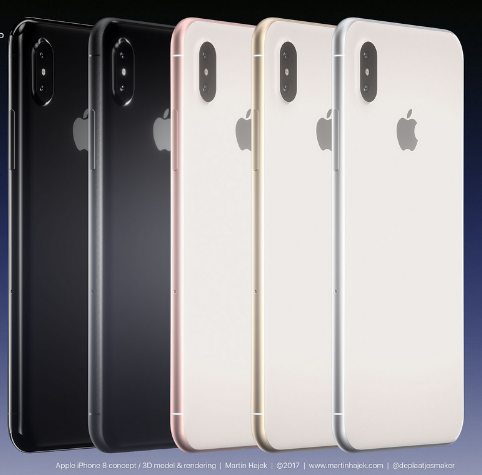
More iPhone 8 Renders


A recent comparison of Hajek's iPhone 8 model and Benjamin Geskin's model by Macotakara found that Geskin's was a closer match to the alleged cases and screen protectors floating around Alibaba. You can see that comparison here.
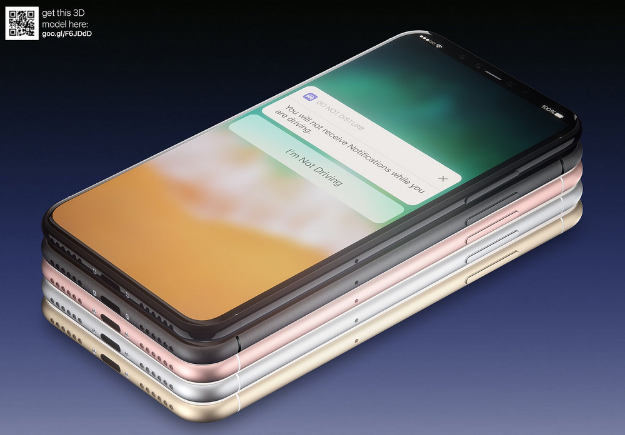
More iPhone 8 Renders


Take a look at a few of the renders below and hit the link below for more. Apple is expected to unveil the iPhone 8 until September at the earliest. Make sure you follow iClarified on TwitterFacebookGoogle+, or RSS for updates ahead of its debut.
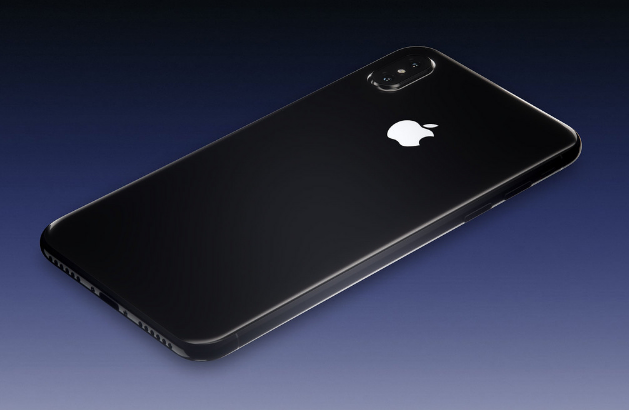

More iPhone 8 Renders


Source: iclarified

Windows
Mac OS
iOS
Linux
3uTools
Win 64-bit For this device
V9.0 2025-11-11
Download
Win 32-bit For this device
V9.0 2025-11-11
Download
3uTools
Intel Chip How to Identify Chip Type
V9.0 2025-12-02
Download
Apple Silicon
V9.0 2025-12-02
Download
How to Identify Chip Type
1.  Click the Apple icon in the top-left corner of the screen and select About This Mac.
2.  Check the Processor or Chip field to determine if it is "Intel" or "Apple".
Please use the 3uTools PC client to install the iOS client:
1、 Install either the Windows or Mac version of 3uTools on your computer
2、 Open the PC client and connect your device to the computer via USB cable
3、 After the connection is successful, wait for the computer to automatically install the mobile app for the device, or locate “Install Mobile App” on the computer and manually click to install.
3uTools
deb file
V3.01 2025-11-20
Download
rpm file
V3.01 2025-11-20
Download
Windows
Windows
iOS
iOS
Android
Android
TV
TV
3uAirPlayer
Win 64-bit For this device
V6.0.2 2025-11-19
Download
Win 32-bit For this device
V6.0.2 2025-11-19
Download
iOS Device Mirroring (No App Required)
1、 Install 3uAirPlayer on the Windows PC
2、 Open Control Center and select Screen Mirroring
3、 From the list, choose your PC to start mirroring
4、 Or connect your iOS device to the PC via USB to begin mirroring
Scan to get "3uAirPlayer" App
3uAirPlayer TV V1.0.18
2025-11-28
TV System Requirements: Android 7.0 or later
Download the TV installation package, copy it to a USB drive, insert it into your TV or set-top box, then select the file from the home screen to install.





