 NEWS
NEWS
Lease Approved For Apple Store at Carnegie Library in Washington, D.C.
 07/28/2017
 3428
3428
Apple has finalized terms with Events DC, the official convention and sports authority for the District of Columbia, to lease a portion of the Carnegie Library at at Mount Vernon Square, described as a newly transformed convention and entertainment district in downtown Washington D.C. 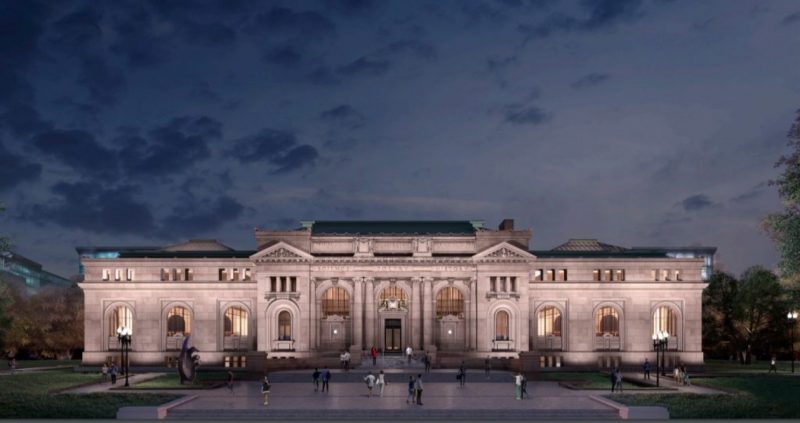
The leased area, approximately 19,000 square feet, will eventually be home to an Apple retail store. The lease term is ten years with two five-year options, according to Events DC. The Historical Society, under its existing 99-year lease, will continue to operate its museum and library in the building.
"As part of its philanthropic efforts, Apple will also empower local youth with job-training and educational programming," said Max Brown, chairman of Events DC's Board of Directors. "Through this collaboration, Apple's investment in the neighborhood will stimulate additional activity and spending in the area to ensure that the community will continue to thrive."
Carnegie Library is a 114-year-old building located across the street from the Washington Convention Center in Mount Vernon Square. Apple will work with Foster + Partners, as it often does, to redesign the interior, which will likely draw similarities to stores like Apple Opéra in Paris and Apple Grand Central in New York. 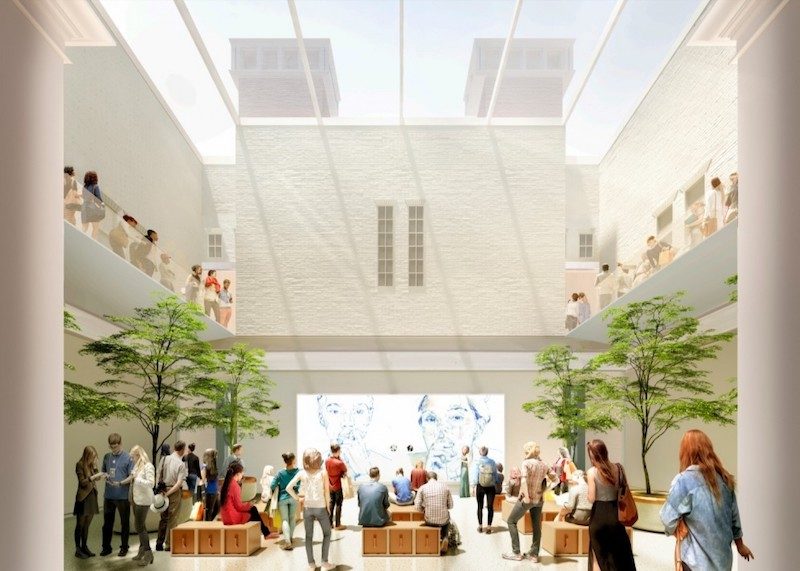
Washington D.C.'s National Capital Planning Commission still has to approve Apple as a tenant due to the building's historical legacy and importance to the city. Apple is expected to begin construction of the store later this year if approved.
Apple has promised to respect Carnegie Library's historical integrity. For example, Apple's logo won't be prominently featured on the library's facade or sides. Apple does plan a few changes to Carnegie Library, including a major new skylight, but the company aims for its presence to be as subtle as possible.
Rumors about Apple opening a retail store at Carnegie Library first surfaced last September. Apple has been in talks with Events DC and the Historical Society of Washington, D.C. since then.
Soure: macrumors










