
NEWS

Two-thirds of iPhones Sold in Past 10 Years Still in Use

07/20/2017

3175

Almost two-thirds of the iPhone devices that Apple has sold in the past 10 years are still in use today, according to Newzoo.


As of March 2017, accumulated global iPhone shipments totaled 1.163 billion units, Apple reported recently.


Newzoo's latest data showed that 728 million iPhones, or 62.6% of all iPhones sold in the past 10 years, were still in use in April 2017.
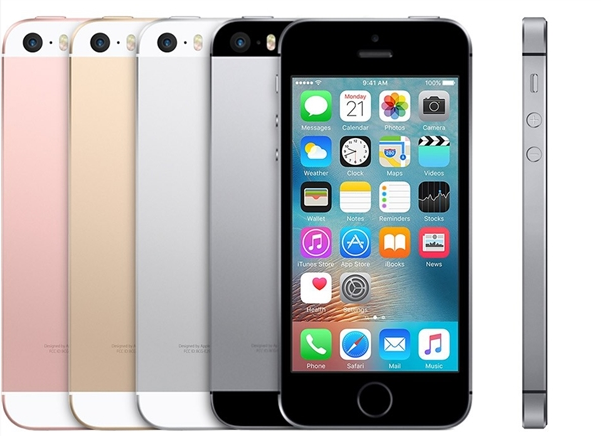

Two-thirds of iPhones Sold in Past 10 Years Still in Use


While sales of iPhones currently account for 15% of global smartphone shipments, Newzoo said that 25% of all smartphones used across the globe in April were iPhones.


China is by far the iPhone's largest market, accounting for almost one-third, or 228 million, of all iPhones in use in April. The US is its second-largest base, accounting for 120 million or 16.4%.


The iPhone 6, launched in 2014, accounted for 21% of the 728 million iPhones being used in April, followed by iPhone 6s with 18%, iPhone 7 with 11%, iPhone 6 Plus with 9% and iPhone 6s Plus with 8%.


Source: digitimes

Windows
Mac OS
iOS
Linux
3uTools
Win 64-bit For this device
V9.0 2025-11-11
Download
Win 32-bit For this device
V9.0 2025-11-11
Download
3uTools
Intel Chip How to Identify Chip Type
V9.0 2025-12-02
Download
Apple Silicon
V9.0 2025-12-02
Download
How to Identify Chip Type
1.  Click the Apple icon in the top-left corner of the screen and select About This Mac.
2.  Check the Processor or Chip field to determine if it is "Intel" or "Apple".
Please use the 3uTools PC client to install the iOS client:
1、 Install either the Windows or Mac version of 3uTools on your computer
2、 Open the PC client and connect your device to the computer via USB cable
3、 After the connection is successful, wait for the computer to automatically install the mobile app for the device, or locate “Install Mobile App” on the computer and manually click to install.
3uTools
deb file
V3.01 2025-11-20
Download
rpm file
V3.01 2025-11-20
Download
Windows
Windows
iOS
iOS
Android
Android
TV
TV
3uAirPlayer
Win 64-bit For this device
V6.0.2 2025-11-19
Download
Win 32-bit For this device
V6.0.2 2025-11-19
Download
iOS Device Mirroring (No App Required)
1、 Install 3uAirPlayer on the Windows PC
2、 Open Control Center and select Screen Mirroring
3、 From the list, choose your PC to start mirroring
4、 Or connect your iOS device to the PC via USB to begin mirroring
Scan to get "3uAirPlayer" App
3uAirPlayer TV V1.0.18
2025-11-28
TV System Requirements: Android 7.0 or later
Download the TV installation package, copy it to a USB drive, insert it into your TV or set-top box, then select the file from the home screen to install.




