
NEWS

Former Exec: Steve Jobs Era Over, Apple ‘Fundamentally Changed’

07/18/2017

2582

Former Apple Inc (AAPL) creative director Hugh Dubberly said Apple has some ground to cover if it wants to keep up with Samsung's (SSNLF) strides in design.


"It's not so much that Samsung has gotten better, but Apple has fundamentally changed. The pipeline that Steve Jobs started is over," Dubberly said.


Apple's 10th anniversary iPhone model, which is expected to be released this fall, will need a new distinguishing feature to outdo Samsung's Galaxy S8, analysts contend. That could mean a fingerprint sensor embedded under the display instead of a physical home button.
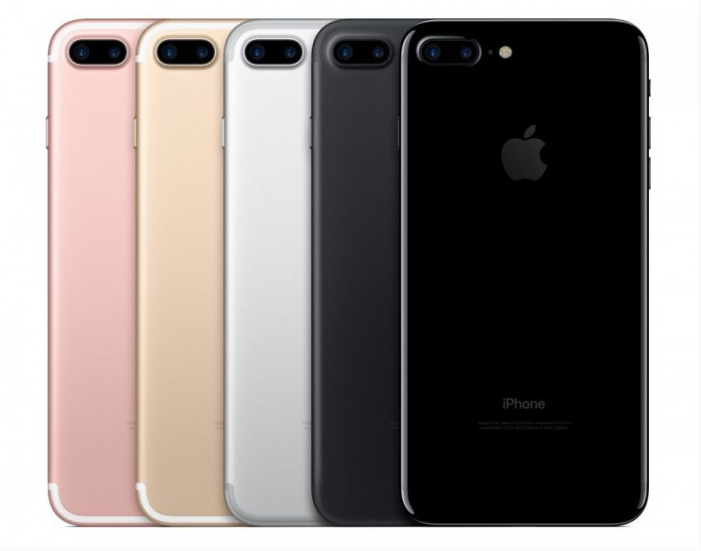

Former Exec: Steve Jobs Era Over, Apple ‘Fundamentally Changed’


Sales of the S8 device are estimated lower than the previous S7 model's sales were at this time last year. But Samsung might have time to ramp up sales, as mass production of the iPhone 8 isn't expected to start until November.


Samsung stock rose 4% on Monday morning. Apple stock traded up 0.5%.


However, recent data suggests that the S8 picture may not be quite so rosy as the Samsung-focused piece suggests. Analysts recently estimated that sales of this year’s flagship Samsung smartphone are actually lower than last year’s S7 at the same point in time. A report today suggested that Samsung may have more time to ramp up sales, though, as mass production of the iPhone 8 may not hit its stride until November.


Source: thestreet

Windows
Mac OS
iOS
Linux
3uTools
Win 64-bit For this device
V9.0 2025-11-11
Download
Win 32-bit For this device
V9.0 2025-11-11
Download
3uTools
Intel Chip How to Identify Chip Type
V9.0 2025-12-02
Download
Apple Silicon
V9.0 2025-12-02
Download
How to Identify Chip Type
1.  Click the Apple icon in the top-left corner of the screen and select About This Mac.
2.  Check the Processor or Chip field to determine if it is "Intel" or "Apple".
Please use the 3uTools PC client to install the iOS client:
1、 Install either the Windows or Mac version of 3uTools on your computer
2、 Open the PC client and connect your device to the computer via USB cable
3、 After the connection is successful, wait for the computer to automatically install the mobile app for the device, or locate “Install Mobile App” on the computer and manually click to install.
3uTools
deb file
V3.01 2025-11-20
Download
rpm file
V3.01 2025-11-20
Download
Windows
Windows
iOS
iOS
Android
Android
TV
TV
3uAirPlayer
Win 64-bit For this device
V6.0.2 2025-11-19
Download
Win 32-bit For this device
V6.0.2 2025-11-19
Download
iOS Device Mirroring (No App Required)
1、 Install 3uAirPlayer on the Windows PC
2、 Open Control Center and select Screen Mirroring
3、 From the list, choose your PC to start mirroring
4、 Or connect your iOS device to the PC via USB to begin mirroring
Scan to get "3uAirPlayer" App
3uAirPlayer TV V1.0.18
2025-11-28
TV System Requirements: Android 7.0 or later
Download the TV installation package, copy it to a USB drive, insert it into your TV or set-top box, then select the file from the home screen to install.




