 NEWS
NEWS
Another Report Claims to Know Why the iPhone 8 is Delayed
 07/11/2017
 2938
2938
With the iPhone 8 all but assured of sporting an edgeless OLED display, it remains unclear what Apple plans to do with the Touch ID sensor. Originally introduced with the iPhone 5s as a clever alternative to clunky passcodes, Touch ID not only helps secure one’s iPhone but also serves as the foundation for Apple Pay. In fact, it’s no exaggeration to say that the ease of use associated with Touch ID and Apple Pay are huge selling points for the iPhone relative to Android.
Interestingly enough, Touch ID may not be a feature in Apple’s next-gen iPhone. Despite the company’s best efforts, word from the rumor mill suggests that Apple is still having problems embedding the Touch ID sensor underneath the front panel display. According to unverified reports, Apple encountered significant yield problems during early manufacturing runs. While subsequent reports claimed that Apple managed to fix said issues, more recent reports from the rumor mill suggest that significant problems remain.
Most recently, a research note from KeyBanc Capital Markets analysts Andy Hargreaves, John Vinh and Josh Beck claim that Apple still hasn’t managed a way to embed its Touch ID sensor into the iPhone 8 display in a manner capable of retaining the accuracy and speed current iPhone owners have grown accustomed to. What’s more, the note claims that Apple only has a few weeks left to come up with a solution before scrapping the idea altogether.
“Apple continues to struggle with the workaround for the fingerprint sensor,” Hargreaves said in a note obtained by Barron’s. “This increases the potential that the new OLED iPhone could be delayed, or ship without a fingerprint sensor, either of which could increase risk to unit sales and mix for the cycle.”
The note further reads:
"We believe it would typically take 12 weeks from placement of fingerprint IC orders to full volume production of iPhones. Consequently, if Apple is able to solve its fingerprint problems and place orders for fingerprint ICs before August, it would likely be able to reach volume production in late October or early November. We believe this remains Apple’s preferred path, and expect it would be acceptable to both consumers and investors. It is entirely unclear if Apple will be able to fix the problem in this time frame.
…
Abandon the fingerprint sensor entirely and rely solely on facial recognition for login and authentication. This option appears increasingly likely as time passes, but is far from ideal. We believe Apple’s facial recognition solution should work from many angles and in low-light environments. However, it would not work without clear line of sight to the user’s face. Even if this encompassed just 5% of login scenarios, it would mean that several times a day the new iPhone would perform worse at an elemental feature than older iPhones, which would risk pushback from consumers. Further, we do not believe facial recognition would be initially qualified as an acceptable verification method for Apple Pay. While Apple could achieve this over time, the likelihood for an initial lack of Apple Pay could adversely affect demand."
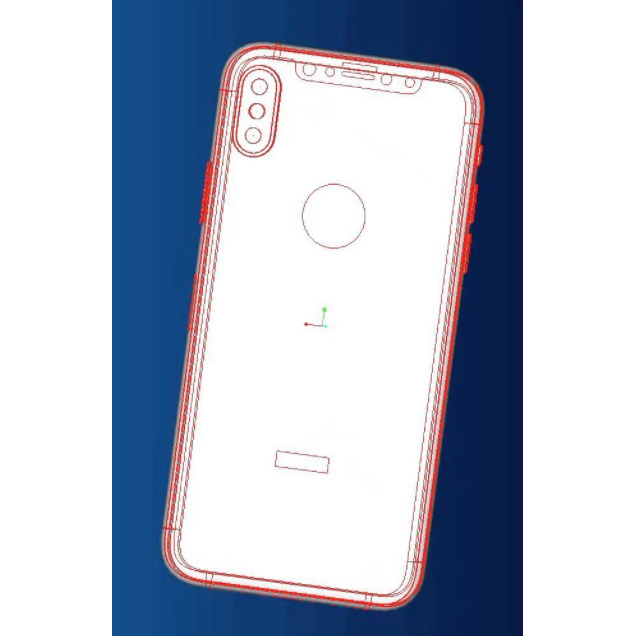
This is a valid point. While Apple’s facial recognition technology is said to be remarkably accurate, there’s no denying that there are scenarios where a Touch ID sensor would be preferable. Another option we might see is an iPhone 8 design with the Touch ID sensor placed on the back. Indeed, Apple has reportedly manufactured a few iPhone prototypes with this design over the past few months.
Source: BGR










