 NEWS
NEWS
Jay Z’s New Album Goes Platinum Without Apple Music’s Help
 07/06/2017
 3564
3564
It’s only been out since last week, but Jay Z’s 4:44 album has already gone platinum, according to the Recording Industry Association of America (RIAA).
The feat is all the more miraculous considering that Jay’s album has thus far been available only in a select few places. As we’ve noted, it was nearly impossible to stream through legal methods, with the only two ways to access it either being a Tidal subscription or listening on the 160 iHeartRadio stations across the country.
To be certified platinum, the album had to achieve 1 million album sales, which isn’t easy when physical copies aren’t available in the stores. To get around this, RIAA counts 1,500 on-demand streams as 10 track sales and 1 album sale. Since only U.S. listens are counted, that means that 1.5 billion streams took place over the course of just a few days.
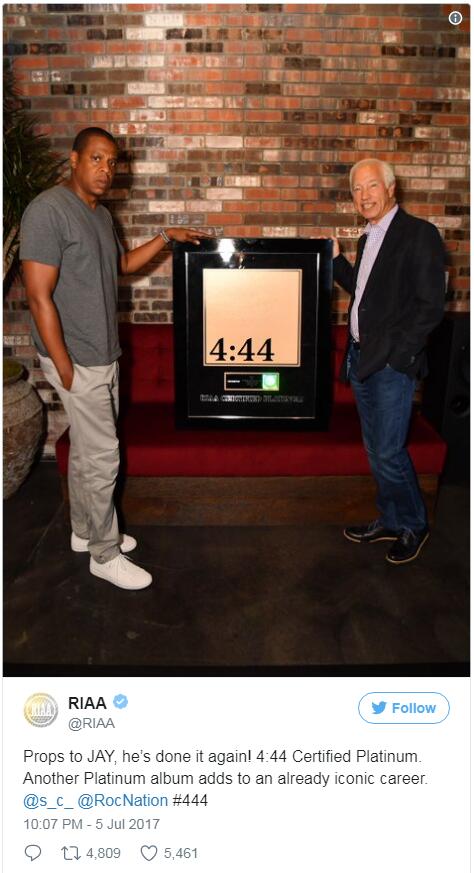
Given Tidal’s relatively limited reach, it’s certainly enough to not cause too much embarrassment in the Carter household — where Jay’s wife Beyonce previously shattered iTunes records when her fifth album, BEYONCÉ, became the fastest selling album ever on iTunes back in late 2013.
Jay’s album so far seems to have got most of its publicity from people interested in the ongoing soap opera of his possible infidelity involving his wife. To Apple fans, however, it may have achieved its most noteworthy moments thanks to a call-out of Apple Music boss Jimmy Iovine. This is what Jay has to say about the music industry on his track “Smile”:
“F— a slice of the apple pie, want my own cake / Chargin’ my own fate / Respect Jimmy Iovine / But he gotta respect the Elohim as a whole new regime / And n—– playin’ for power, huh / So our music is ours”
Even with this fighting talk, however, Tidal reportedly only has a one-week exclusivity period with 4:44, meaning that Apple Music subscribers may well get to listen to it before the week’s up.
Source: cult of mac










