 NEWS
NEWS
AMD Vega GPU Destined for iMac Pro Shows Significant Speed
 06/28/2017
 3521
3521
Hands on testing performed by a PC enthusiast site shows Vega 64 GPUs like those found in a build-to-order configuration of forthcoming iMac Pro beat the Nvidia Titan Xp card in actual workflows similar to those expected to be handled by the pro-level Mac — and the Vega 56 should also slightly edge the Nvidia card.
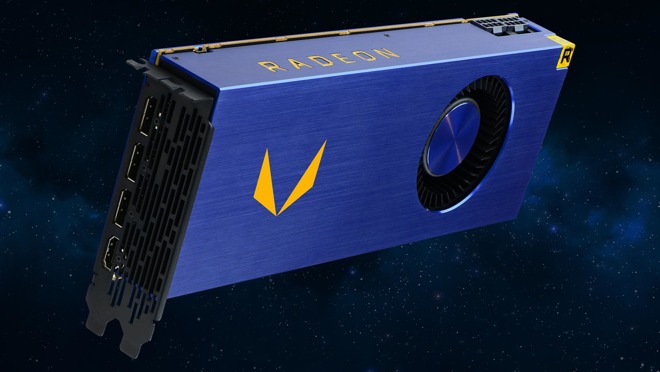
Testing performed by PC World used identical Windows 10 Pro PCs, both with identical CPUs, 32GB of DDR4 RAM and Dell's 8K display and a 1080p display. One PC included the newly released Radeon Vega Frontier edition PCI-E card and the other sported the GeForce Titan Xp card released in April.
The workflow generated was a "simulated workflow in a design firm" according to the testers. Evaluation showed the Vega card outperform the Titan Xp by 50 percent in SolidWorks, and 28 percent in competing 3D rendering package Catia.
In Maxon's Cinebench OpenGL benchmark, the test showed the Vega Frontier edition beating out the Titan Xp by 14 percent.
Testing wasn't limited to OpenGL workflows alone. Given that augmented reality and virtual reality developers have used the Unreal Engine for visualizations, the 8K display was swapped out for a pair of 3440x1440 panels, with testing performed on the lower resolution displays.
PC World claimed to not be able to tell the difference between the Titan Xp and the Radeon Vega Frontier PCI-E card in Direct X gaming and similar applications.
Further testing outside of AMD's labs performed by the testers showed essentially the same results, if not a bit higher.
The tests aren't of entirely similar cards. The Radeon Vega Frontier is optimized for commercial workflows, and the Titan Xp is a consumer-level card. However, the pricing is the same at $1,200.
Source: appleinsider










