 NEWS
NEWS
Apple Music begins rollout of 'My Chill Mix' to select users
 06/28/2017
 3694
3694
Apple on Tuesday began the staggered release of a new curated Apple Music playlist dubbed "My Chill Mix," offering users a custom generated sampling of relaxing tunes from their favorite artists and genres.
The new feature started rolling out to Apple Music customers earlier today as part of the app's "For You" section. Apple is activating My Chill Mix in stages, meaning the service will only be available to a subset of users at launch. A timeline for full availability was not provided.
Like last year's "My New Music Mix" and "My Favorites Mix," My Chill Mix pulls from user listening histories, liked songs, favorite artists and more to deliver a custom tuned playlist. As its name suggests, the new Apple Music feature selects soothing tracks perfect for winding down after work or vegging out on the couch.
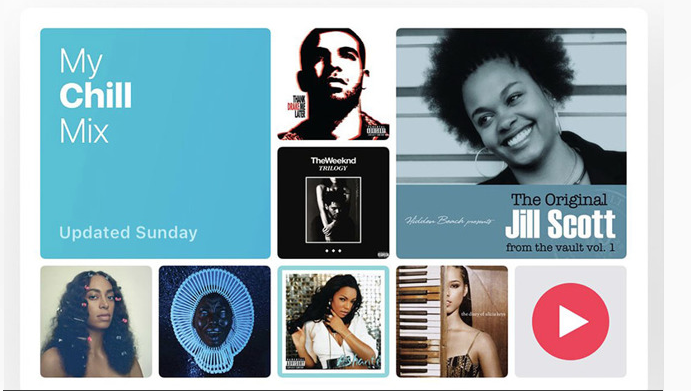
Apple informed The Loop that My Chill Mix algorithms will attempt to choose songs based on a user's existing listening preferences. For example, customers who like rock or pop will see "chill" songs pulled from those genres. Like My New Music Mix, each user's experience is unique.
While Apple failed to elaborate on the frequency of playlist updates, it can be assumed that My Chill Mix will perform in a similar fashion to other For You mixes and auto-generate new content every week. As seen in the screenshot above, current My Chill Mix playlists were created on Sunday.
When it goes live, customers can find the new feature at the top of the For You tab in Apple Music alongside existing panes for My New Music Mix and My Favorites Mix.
Source: appleinsider










