
NEWS

Apple Begins Selling Refurbished Apple Pencil for $85

06/28/2017

3098

Apple today began selling a certified refurbished Apple Pencil for $85 on its online store in the United States only. 

brand new Apple Pencil costs $99 in the United States, so taking the refurbished route yields a savings of $14. 
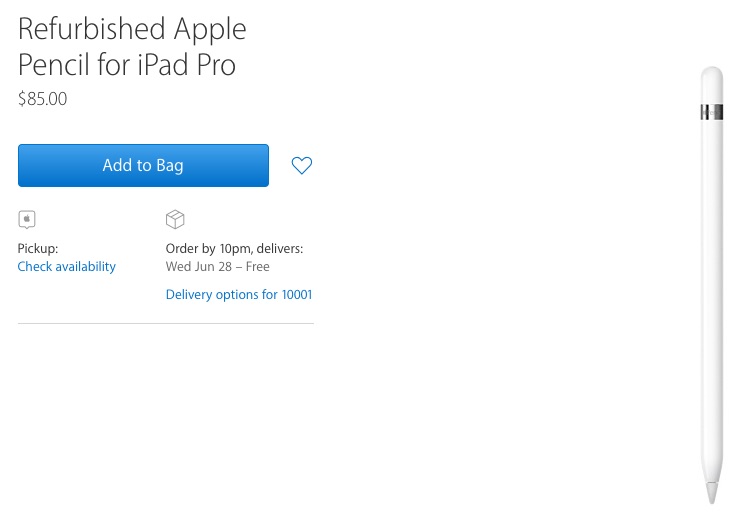
Apple Begins Selling Refurbished Apple Pencil for $85
A refurbished Apple Pencil isn't brand new, but Apple says it undergoes a thorough cleaning process and inspection to ensure it meets Apple's quality standards, including full functionality testing. It's then repackaged in a new box with a Lightning adapter, an extra tip, and the appropriate documentation. 

Apple Pencil is a stylus designed specifically to work with iPad Pro, giving artists a tool with a level of precision far beyond that of a finger. 

Designed to mimic the feel and sensation of using a pen or a pencil, the Apple Pencil has built-in sensors to determine orientation and angle, and to detect a range of forces for pressure-sensitive drawing and writing. Apple has optimized the iPad Pro and iOS to ensure the Apple Pencil has minimal latency. 

With iOS 11, iPad Pro users are able to add handwriting and drawings alongside text, and search handwritten notes using Spotlight. 

A refurbished Apple Pencil comes with Apple's standard one-year limited hardware warranty covering manufacturing defects.


Source: macrumors

Windows
Mac OS
iOS
Linux
3uTools
Win 64-bit For this device
V9.0 2025-11-11
Download
Win 32-bit For this device
V9.0 2025-11-11
Download
3uTools
Intel Chip How to Identify Chip Type
V9.0 2025-12-02
Download
Apple Silicon
V9.0 2025-12-02
Download
How to Identify Chip Type
1.  Click the Apple icon in the top-left corner of the screen and select About This Mac.
2.  Check the Processor or Chip field to determine if it is "Intel" or "Apple".
Please use the 3uTools PC client to install the iOS client:
1、 Install either the Windows or Mac version of 3uTools on your computer
2、 Open the PC client and connect your device to the computer via USB cable
3、 After the connection is successful, wait for the computer to automatically install the mobile app for the device, or locate “Install Mobile App” on the computer and manually click to install.
3uTools
deb file
V3.01 2025-11-20
Download
rpm file
V3.01 2025-11-20
Download
Windows
Windows
iOS
iOS
Android
Android
TV
TV
3uAirPlayer
Win 64-bit For this device
V6.0.2 2025-11-19
Download
Win 32-bit For this device
V6.0.2 2025-11-19
Download
iOS Device Mirroring (No App Required)
1、 Install 3uAirPlayer on the Windows PC
2、 Open Control Center and select Screen Mirroring
3、 From the list, choose your PC to start mirroring
4、 Or connect your iOS device to the PC via USB to begin mirroring
Scan to get "3uAirPlayer" App
3uAirPlayer TV V1.0.18
2025-11-28
TV System Requirements: Android 7.0 or later
Download the TV installation package, copy it to a USB drive, insert it into your TV or set-top box, then select the file from the home screen to install.




