NEWS

Apple and Hertz Partner for Self-Driving Car Testing

06/27/2017

2782

Apple and Hertz Partner for Self-Driving Car Testing


Apple’s self-driving car ambitions are coming into focus.


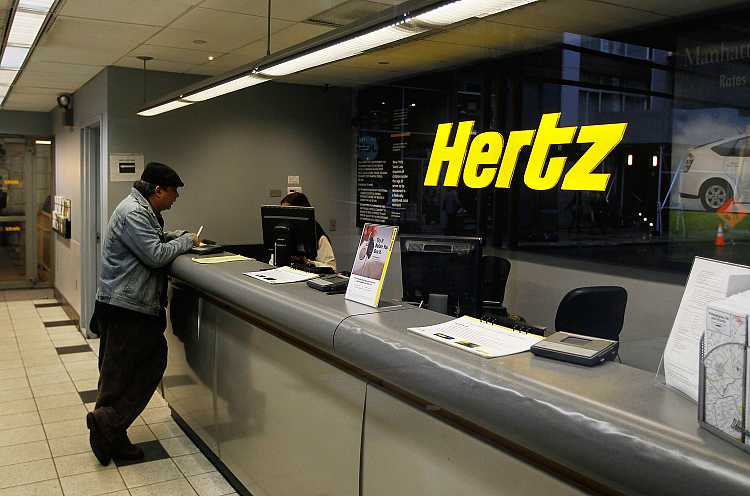
The technology giant is partnering with Hertz  to test its autonomous car software in six of the car rental company’s automobiles, according to a Bloomberg News report published Monday based on Department of Motor Vehicles documents.


Under the partnership, Hertz subsidiary Donlen is leasing to Apple six Lexus RX RX450h sports utility vehicles to carry out its self-driving car tests, the report said. Presumably, this partnership is a way for Hertz to test-self-driving vehicle technology rather than letting its customers actually rent self-driving cars at this point in time. 


Apple has embedded its self-driving car software into six vehicles that it has been testing and driving for the past year throughout the San Francisco Bay Area, the report said, although it did not reveal if those six vehicles were part of licensing agreement between Apple and Hertz.


The news between Apple and Hertz follows a similar deal announced Monday between the self-driving car unit of Google parent Alphabet  and rental car company Avis Budget Group. In that deal, Avis said it would manage Waymo’s autonomous car fleet in Phoenix and provide storage and maintenance services.


Waymo and Avis did not disclose financial terms of the deal that, according to a separate Bloomberg News report, has Waymo paying Avis for its services, while owning the vehicles.


Source: Fortune

Windows
Mac OS
iOS
Linux
3uTools
Win 64-bit For this device
V9.0 2025-11-11
Download
Win 32-bit For this device
V9.0 2025-11-11
Download
3uTools
Intel Chip How to Identify Chip Type
V9.0 2025-12-02
Download
Apple Silicon
V9.0 2025-12-02
Download
How to Identify Chip Type
1.  Click the Apple icon in the top-left corner of the screen and select About This Mac.
2.  Check the Processor or Chip field to determine if it is "Intel" or "Apple".
Please use the 3uTools PC client to install the iOS client:
1、 Install either the Windows or Mac version of 3uTools on your computer
2、 Open the PC client and connect your device to the computer via USB cable
3、 After the connection is successful, wait for the computer to automatically install the mobile app for the device, or locate “Install Mobile App” on the computer and manually click to install.
3uTools
deb file
V3.01 2025-11-20
Download
rpm file
V3.01 2025-11-20
Download
Windows
Windows
iOS
iOS
Android
Android
TV
TV
3uAirPlayer
Win 64-bit For this device
V6.0.2 2025-11-19
Download
Win 32-bit For this device
V6.0.2 2025-11-19
Download
iOS Device Mirroring (No App Required)
1、 Install 3uAirPlayer on the Windows PC
2、 Open Control Center and select Screen Mirroring
3、 From the list, choose your PC to start mirroring
4、 Or connect your iOS device to the PC via USB to begin mirroring
Scan to get "3uAirPlayer" App
3uAirPlayer TV V1.0.18
2025-11-28
TV System Requirements: Android 7.0 or later
Download the TV installation package, copy it to a USB drive, insert it into your TV or set-top box, then select the file from the home screen to install.