 NEWS
NEWS
Apple's Tim Cook Asked President Trump for Coding Requirement at US Schools
 06/20/2017
 3155
3155
At a Monday technology summit with U.S. President Donald Trump, Apple CEO Tim Cook reportedly suggested making programming a mandatory subject in the country's schools.
Cook was one of several major tech executives who offered ideas at the first gathering of the White House's American Technology Council, according to Recode. In other examples, Amazon CEO Jeff Bezos suggested making more use of commercial technology, while Palantir CEO Alex Karp pointed to ways "big data" could be used to catch fraudulent federal spending. Palantir specializes in large-scale data analysis, and already counts the federal government as a close client, particularly its military and spy agencies.
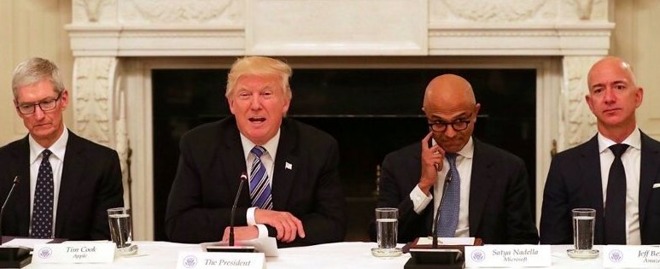
The American Technology Council —led by Trump's advisor and son-in-law, Jared Kushner —was formed in May, and directed to "transform and modernize" government use of IT and digital services. Some other people at today's summit included the heads of Adobe, Google, Intel, Microsoft, Oracle, and Qualcomm, and investor Peter Thiel, a well-known Trump supporter.
Conspicuously absent was Tesla/SpaceX's Elon Musk, who withdrew after Trump decided to pull the U.S. out of the Paris climate agreement. Cook was among other CEOs who backed the accord but chose to participate in the Council, despite earlier saying he hadn't joined any Trump advisory group.
He has also opposed Trump on issues like immigration and LGBT rights, but argued that he should exert influence instead of boycotting the White House.
Cook and Apple have regularly called for programming to be taught in schools. Last month the company in fact put a free Swift curriculum on iBooks, which will also be brought to some colleges and high schools.
Source: appleinsider










