
NEWS

iPad Pro Clear example of Apple Copying Us, Says Microsoft Exec

06/19/2017

3022

Microsoft has regained quite some confidence lately and it's begun insisting that Apple is merely watching what it does, admiring it and then less than subtly doing the same thing.


As Apple unveiled its iPad Pro, some wondered how the company had become a convert to an object that looks like a tablet and increasingly acts like a computer. Wasn't this Microsoft's idea?


Which drove Microsoft Surface General Manager Ryan Gavin to muse this to Business Insider: "We have been learning and perfecting our products in the 2-in-1 category for years now, [but] when Surface initially launched everyone was skeptical, including them [Apple]. And then they followed, and the iPad Pro is a clear example of that."
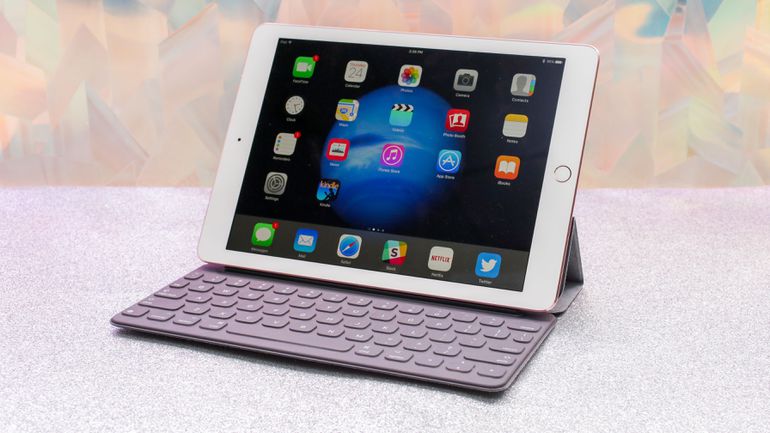

iPad Pro Clear example of Apple Copying Us, Says Microsoft Exec


Apple followed? But everything Apple makes is magical and revolutionary. You surely can't be the second magician in town and be successful, can you?


Gavin, indeed, insisted that what was so clever about Surface is that it didn't mimic any Apple product. "Think about it, if we had been looking at [Apple], we wouldn't have made a product like Surface Pro or Surface Book."

Apple didn't immediately respond to a request to think about it.


Source: cnet


Windows
Mac OS
iOS
Linux
3uTools
Win 64-bit For this device
V9.0 2025-11-11
Download
Win 32-bit For this device
V9.0 2025-11-11
Download
3uTools
Intel Chip How to Identify Chip Type
V9.0 2025-12-02
Download
Apple Silicon
V9.0 2025-12-02
Download
How to Identify Chip Type
1.  Click the Apple icon in the top-left corner of the screen and select About This Mac.
2.  Check the Processor or Chip field to determine if it is "Intel" or "Apple".
Please use the 3uTools PC client to install the iOS client:
1、 Install either the Windows or Mac version of 3uTools on your computer
2、 Open the PC client and connect your device to the computer via USB cable
3、 After the connection is successful, wait for the computer to automatically install the mobile app for the device, or locate “Install Mobile App” on the computer and manually click to install.
3uTools
deb file
V3.01 2025-11-20
Download
rpm file
V3.01 2025-11-20
Download
Windows
Windows
iOS
iOS
Android
Android
TV
TV
3uAirPlayer
Win 64-bit For this device
V6.0.2 2025-11-19
Download
Win 32-bit For this device
V6.0.2 2025-11-19
Download
iOS Device Mirroring (No App Required)
1、 Install 3uAirPlayer on the Windows PC
2、 Open Control Center and select Screen Mirroring
3、 From the list, choose your PC to start mirroring
4、 Or connect your iOS device to the PC via USB to begin mirroring
Scan to get "3uAirPlayer" App
3uAirPlayer TV V1.0.18
2025-11-28
TV System Requirements: Android 7.0 or later
Download the TV installation package, copy it to a USB drive, insert it into your TV or set-top box, then select the file from the home screen to install.




