NEWS

Tim Cook to Attend Technology Council Meeting at White House this Month

06/09/2017

3522

Tim Cook to Attend Technology Council Meeting at White House this Month


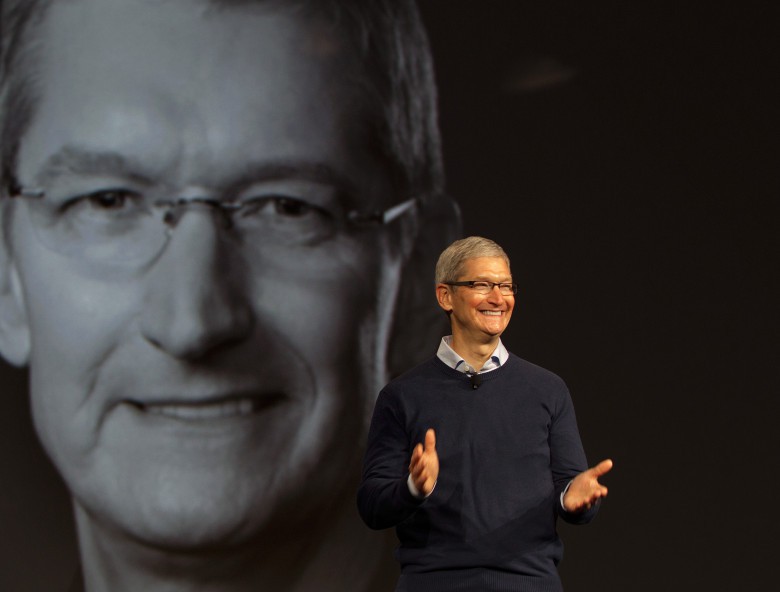
The first meeting of President Donald Trump’s American Technology Council is set to convene at the White House later this month with Apple CEO Tim Cook expected to be among the attendees.


With an aim of modernizing government services, the group is being led by Trump’s son-in-law Jared Kushner. Some of the biggest names in tech are among the roster of advisers, many of whom publicly denounced Trump’s recent decision to leave the Paris climate agreement, which could make the meeting pretty interesting.


Trumps administration will host the first summit for the council on June 19, according to a report from Bloomberg. Representatives from 11 companies are set to attend, including Microsoft CEO Satya Nadella, Amazon founder Jeff Bezos, Alphabet executive chairman Eric Schmidt, Oracle Co-CEO Safra Catz and IBM CEO Ginni Rometty.


An invitation has reportedly been extended to Facebook too but the company hasn’t responded to the invite yet.


In an interview earlier this week, Tim Cook downplayed his involvement on any special government councils, saying he doesn’t find councils and committees “to be terribly productive.”


Kushener’s Tech Council has been tasked with making the American federal government run more like a fine-tuned business. Trump says he wants the council to form plans reimagining the Department of Veterans Affairs, modernizing technology infrastructure of every government department, develop transformative infrastructure projects and more.


Source: cult of mac

Windows
Mac OS
iOS
Linux
3uTools
Win 64-bit For this device
V9.0 2025-11-11
Download
Win 32-bit For this device
V9.0 2025-11-11
Download
3uTools
Intel Chip How to Identify Chip Type
V9.0 2025-12-02
Download
Apple Chip
V9.0 2025-12-02
Download
How to Identify Chip Type
1.  Click the Apple icon in the top-left corner of the screen and select About This Mac.
2.  Check the Processor or Chip field to determine if it is "Intel" or "Apple".
Please use the 3uTools PC client to install the iOS client:
1、 Install either the Windows or Mac version of 3uTools on your computer
2、 Open the PC client and connect your device to the computer via USB cable
3、 After the connection is successful, wait for the computer to automatically install the mobile app for the device, or locate “Install Mobile App” on the computer and manually click to install.
3uTools
deb file
V3.01 2025-11-20
Download
rpm file
V3.01 2025-11-20
Download
Windows
Windows
iOS
iOS
Android
Android
TV
TV
3uAirPlayer
Win 64-bit For this device
V6.0.2 2025-11-19
Download
Win 32-bit For this device
V6.0.2 2025-11-19
Download
iOS Device Mirroring (No App Required)
1、 Install 3uAirPlayer on the Windows PC
2、 Open Control Center and select Screen Mirroring
3、 From the list, choose your PC to start mirroring
4、 Or connect your iOS device to the PC via USB to begin mirroring
Scan to get "3uAirPlayer" App
3uAirPlayer TV V1.0.18
2025-11-28
TV System Requirements: Android 7.0 or later
Download the TV installation package, copy it to a USB drive, insert it into your TV or set-top box, then select the file from the home screen to install.