
NEWS

Apple's Siri Home Speaker Now in Manufacturing

06/01/2017

2845

Apple's rumored Amazon Echo competitor, based on Siri, has already entered manufacturing —but may not ship until "later in the year," sometime after the company's WWDC 2017 keynote on June 5, according to a report.

The product could still be announced during the keynote, sources told Bloomberg on Wednesday. Aside from Siri, other features of the speaker are expected to include use as a HomeKit hub, and higher-quality audio —specifically, virtual surround technology, and louder and crisper output. 


The device may also include sensors that detect room acoustics and adjust levels automatically, akin to a more convenient version of Sonos's Trueplay system. 
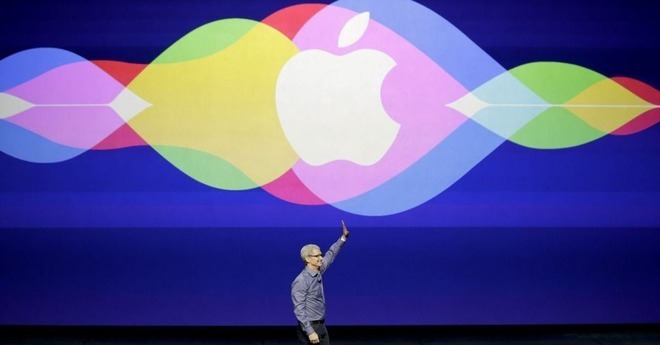

Apple's Siri Home Speaker Now in Manufacturing


The speaker will reportedly lack a screen however, giving an edge in that department to Amazon's Echo Show, and the upcoming Essential Home.


Bloomberg's sources added that as rumored, Taiwanese manufacturer Inventec will handle assembly, and that Apple has several other possible hardware announcements for WWDC. These include new iPads, and refreshed MacBooks, possibly even faster Pro and Air models.


Apple hasn't used WWDC to introduce new hardware since 2013. That may now be necessary for timing issues however, as well as an increasingly full product slate. Aside from new devices, Apple is also expected to show off new versions of iOS, macOS, watchOS, and tvOS.


Source: appleinsider

Windows
Mac OS
iOS
Linux
3uTools
Win 64-bit For this device
V9.0 2025-11-11
Download
Win 32-bit For this device
V9.0 2025-11-11
Download
3uTools
Intel Chip How to Identify Chip Type
V9.0 2025-12-02
Download
Apple Silicon
V9.0 2025-12-02
Download
How to Identify Chip Type
1.  Click the Apple icon in the top-left corner of the screen and select About This Mac.
2.  Check the Processor or Chip field to determine if it is "Intel" or "Apple".
Please use the 3uTools PC client to install the iOS client:
1、 Install either the Windows or Mac version of 3uTools on your computer
2、 Open the PC client and connect your device to the computer via USB cable
3、 After the connection is successful, wait for the computer to automatically install the mobile app for the device, or locate “Install Mobile App” on the computer and manually click to install.
3uTools
deb file
V3.01 2025-11-20
Download
rpm file
V3.01 2025-11-20
Download
Windows
Windows
iOS
iOS
Android
Android
TV
TV
3uAirPlayer
Win 64-bit For this device
V6.0.2 2025-11-19
Download
Win 32-bit For this device
V6.0.2 2025-11-19
Download
iOS Device Mirroring (No App Required)
1、 Install 3uAirPlayer on the Windows PC
2、 Open Control Center and select Screen Mirroring
3、 From the list, choose your PC to start mirroring
4、 Or connect your iOS device to the PC via USB to begin mirroring
Scan to get "3uAirPlayer" App
3uAirPlayer TV V1.0.18
2025-11-28
TV System Requirements: Android 7.0 or later
Download the TV installation package, copy it to a USB drive, insert it into your TV or set-top box, then select the file from the home screen to install.




