
NEWS

Apple's First Indonesian R&D Center to Open in Second Quarter

03/31/2017

2953

According to Industry Ministry staff member Sanny Iskandar, who met with Apple representatives earlier today, the company's first R&D center is expected to begin operations in Green Office Park in BSD City, Tangerang, sometime in the second quarter, reports The Jakarta Post. Tangerang is a city located in the province of Banten.


The center will develop educational programs for 300 to 400 local students, Sanny said.

Apple's First Indonesian R&D Center to Open in Second Quarter


Aside from mentoring new app makers, the R&D center fulfills local sourcing stipulations imposed by the Indonesian government. Instituted in January, the new regulation requires manufacturers selling 4G phones in the country to meet a 30 percent local content sourcing threshold. 


Unlike similar regulations in India, Indonesia counts software or monetary investments as local sourcing, meaning Apple's R&D investments can be applied toward the 30 percent goal. 


Basically, Apple is investing $44 million in three Indonesian R&D facilities for the right to market current and future iPhone models in the region.


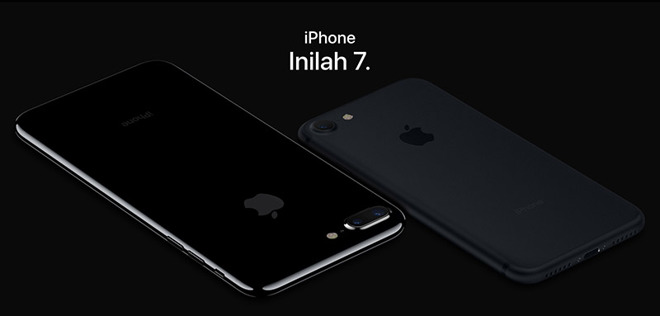
Not coincidentally, Apple is slated to start iPhone 7 and 7 Plus sales in Indonesia on Friday. Prior to its $44 million commitment, the company was restricted from selling certain iPhone 6 series products in the country.


Source: appleinsider

Windows
Mac OS
iOS
Linux
3uTools
Win 64-bit For this device
V9.0 2025-11-11
Download
Win 32-bit For this device
V9.0 2025-11-11
Download
3uTools
Intel Chip How to Identify Chip Type
V9.0 2025-12-02
Download
Apple Silicon
V9.0 2025-12-02
Download
How to Identify Chip Type
1.  Click the Apple icon in the top-left corner of the screen and select About This Mac.
2.  Check the Processor or Chip field to determine if it is "Intel" or "Apple".
Please use the 3uTools PC client to install the iOS client:
1、 Install either the Windows or Mac version of 3uTools on your computer
2、 Open the PC client and connect your device to the computer via USB cable
3、 After the connection is successful, wait for the computer to automatically install the mobile app for the device, or locate “Install Mobile App” on the computer and manually click to install.
3uTools
deb file
V3.01 2025-11-20
Download
rpm file
V3.01 2025-11-20
Download
Windows
Windows
iOS
iOS
Android
Android
TV
TV
3uAirPlayer
Win 64-bit For this device
V6.0.2 2025-11-19
Download
Win 32-bit For this device
V6.0.2 2025-11-19
Download
iOS Device Mirroring (No App Required)
1、 Install 3uAirPlayer on the Windows PC
2、 Open Control Center and select Screen Mirroring
3、 From the list, choose your PC to start mirroring
4、 Or connect your iOS device to the PC via USB to begin mirroring
Scan to get "3uAirPlayer" App
3uAirPlayer TV V1.0.18
2025-11-28
TV System Requirements: Android 7.0 or later
Download the TV installation package, copy it to a USB drive, insert it into your TV or set-top box, then select the file from the home screen to install.




