
NEWS

An iPhone Hack Is At The Center Of The Latest Trump

03/23/2017

2852

The Trump administration has a serious Russia problem right now, as it still can’t completely dissociate itself from the long shadow Putin’s Russia has cast over Trump’s election, or dispel all the allegations regarding Trump’s direct and indirect ties with America’s most formidable adversary. A new report offers further unflattering details about Trump’s actions during the campaign, revealing that Paul Manafort continued to play a key role in the campaign even after he resigned on account of his alleged Russia ties. More interestingly, the new revelations come from an iPhone hack.


Apple’s iPhone may be tougher to hack, and it does a great job at protecting your privacy. But that’s only true as long as you don’t inadvertently share your iCloud password with hackers.
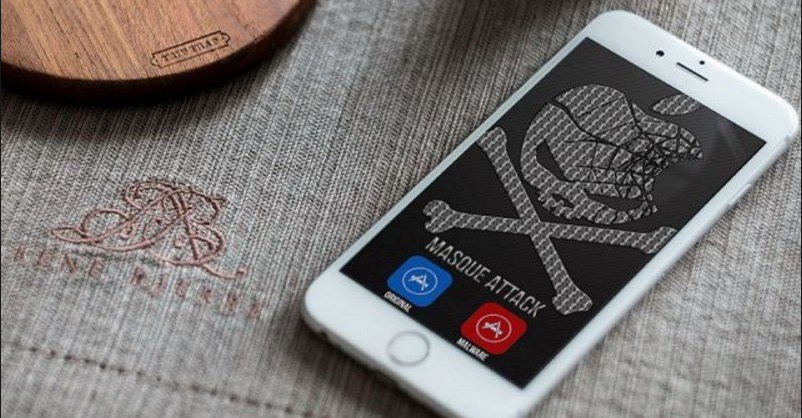

An iPhone Hack Is At The Center Of The Latest Trump


The data file contains more than 280,000 text messages sent between October 2012 and September 2016 and appears to come from an iCloud backup of Manafort Shand’s phone, including the ones above, which don’t seem to help her father or Trump too much.


As Jezebel points out, there’s always a possibility that Manafort lied to his daughter to save face. But then, why is Sean Spicer, the White House press secretary, still lying about the timeline related to Manfort’s involvement and influence on the Trump campaign? These hacked messages will surely make Spicer’s job of minimizing Manafort’s job as a Trump advisor even harder.


Source: bgr


Windows
Mac OS
iOS
Linux
3uTools
Win 64-bit For this device
V9.0 2025-11-11
Download
Win 32-bit For this device
V9.0 2025-11-11
Download
3uTools
Intel Chip How to Identify Chip Type
V9.0 2025-12-02
Download
Apple Silicon
V9.0 2025-12-02
Download
How to Identify Chip Type
1.  Click the Apple icon in the top-left corner of the screen and select About This Mac.
2.  Check the Processor or Chip field to determine if it is "Intel" or "Apple".
Please use the 3uTools PC client to install the iOS client:
1、 Install either the Windows or Mac version of 3uTools on your computer
2、 Open the PC client and connect your device to the computer via USB cable
3、 After the connection is successful, wait for the computer to automatically install the mobile app for the device, or locate “Install Mobile App” on the computer and manually click to install.
3uTools
deb file
V3.01 2025-11-20
Download
rpm file
V3.01 2025-11-20
Download
Windows
Windows
iOS
iOS
Android
Android
TV
TV
3uAirPlayer
Win 64-bit For this device
V6.0.2 2025-11-19
Download
Win 32-bit For this device
V6.0.2 2025-11-19
Download
iOS Device Mirroring (No App Required)
1、 Install 3uAirPlayer on the Windows PC
2、 Open Control Center and select Screen Mirroring
3、 From the list, choose your PC to start mirroring
4、 Or connect your iOS device to the PC via USB to begin mirroring
Scan to get "3uAirPlayer" App
3uAirPlayer TV V1.0.18
2025-11-28
TV System Requirements: Android 7.0 or later
Download the TV installation package, copy it to a USB drive, insert it into your TV or set-top box, then select the file from the home screen to install.




