NEWS

HomePod mini 2 Launches With S10 Chip, Wi-Fi 6E and New Features

10/30/2026

62

HomePod mini 2 Launches With S10 Chip, Wi-Fi 6E and New Features


Apple's HomePod mini 2 launches on October 30, bringing hardware upgrades, improved connectivity, and new smart home features.


The second-generation speaker is powered by Apple's S10 chip, replacing the S5 chip in the original model. It also upgrades wireless connectivity to Wi-Fi 6E and Bluetooth 6, enabling faster and more reliable connections.


Smarter Siri and Enhanced Audio


HomePod mini 2 will support Apple's next-generation Siri AI, offering more natural conversations, better contextual understanding, and improved music discovery. However, these features will arrive in a future software update rather than at launch.


The speaker also introduces expanded home theater support. Users can pair four HomePod mini 2 units with the fourth-generation Apple TV 4K to create a surround sound setup. A new Sound Glow feature adds colorful lighting effects that pulse along with music.


Colors and Pricing


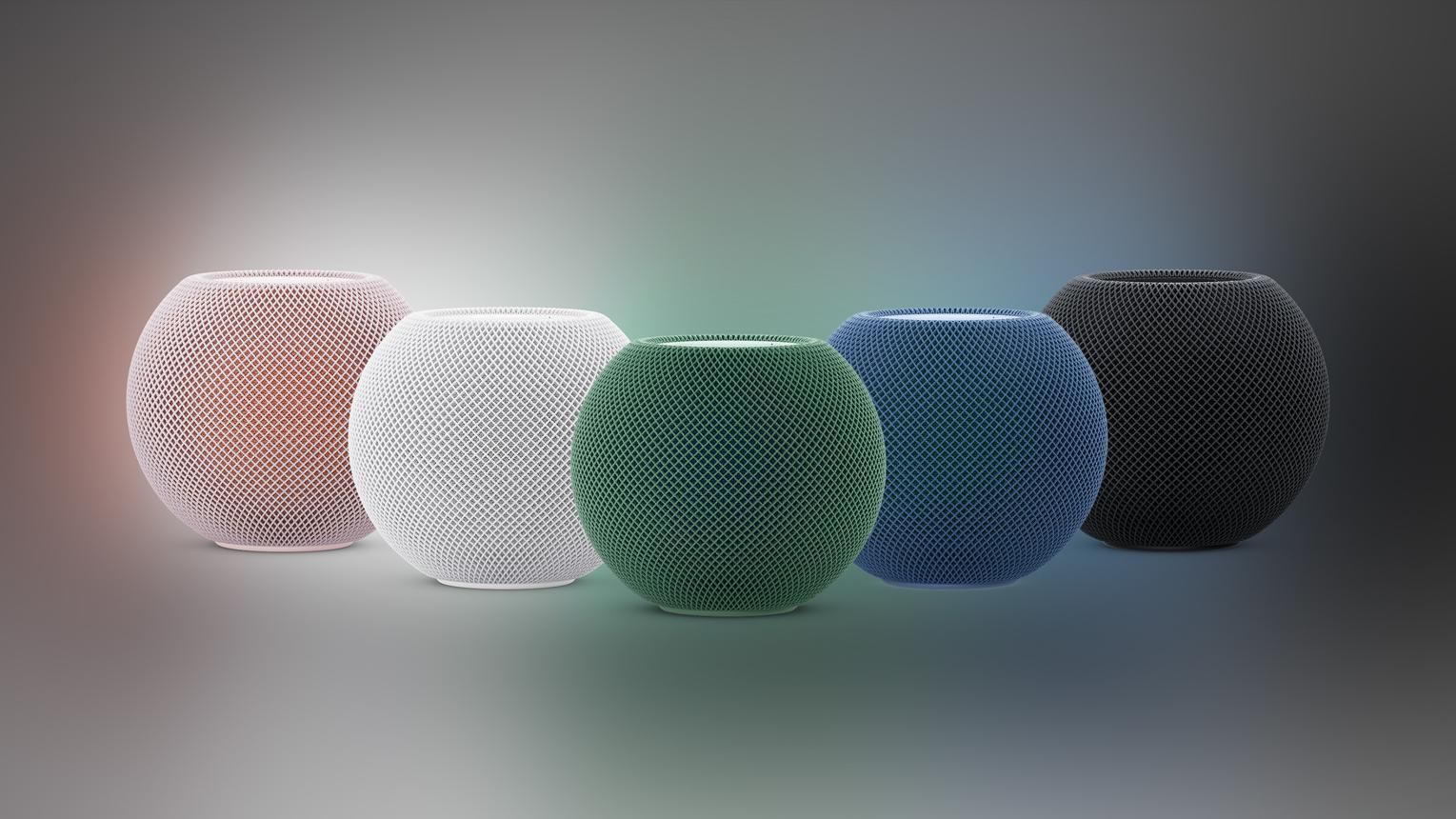
HomePod mini 2 comes in five colors: pink, green, blue, white, and midnight. It is priced at $149 in the U.S., up from the previous model's current $129 price.


3uTools's View


HomePod mini 2 brings meaningful upgrades to Apple's smart home lineup, particularly with its faster chip, improved connectivity, and expanded audio capabilities. However, the delayed Siri AI rollout and higher price may make existing users think twice before upgrading.


Windows
Mac OS
iOS
Linux
3uTools
Win 64-bit For this device
V9.12 2026-10-23
Download
Win 32-bit For this device
V9.12 2026-10-23
Download
3uTools
Intel Chip How to Identify Chip Type
V9.07 2026-09-20
Download
Apple Silicon
V9.07 2026-09-20
Download
How to Identify Chip Type
1.  Click the Apple icon in the top-left corner of the screen and select About This Mac.
2.  Check the Processor or Chip field to determine if it is "Intel" or "Apple".
Please use the 3uTools PC client to install the iOS client:
1、 Install either the Windows or Mac version of 3uTools on your computer
2、 Open the PC client and connect your device to the computer via USB cable
3、 After the connection is successful, wait for the computer to automatically install the mobile app for the device, or locate “Install Mobile App” on the computer and manually click to install.
3uTools
deb file
V9.03 2026-10-09
Download
rpm file
V9.03 2026-10-09
Download
Windows
Windows
iOS
iOS
Android
Android
TV
TV
3uAirPlayer
Win 64-bit For this device
V6.0.7 2026-08-25
Download
Win 32-bit For this device
V6.0.7 2026-08-25
Download
Scan to get "3uAirPlayer" App
Requires iOS 15.0 or later
Scan to get "3uAirPlayer" App
Requires Android 7.0 and up
3uAirPlayerTV
 
TV System Requirements: Android 7.0 or later
Download the TV installation package, copy it to a USB drive, insert it into your TV or set-top box, then select the file from the home screen to install.