 NEWS
NEWS
Apple Releases iOS 26.6.2 With Cellular Update Fix
 09/09/2026
 2699
2699
Apple has released iOS 26.6.2 for iPhone 11 and later, along with iPadOS 26.6.2 for supported iPad models. The update is available now with build number 23G90.
What’s New in iOS 26.6.2?
iOS 26.6.2 is a minor update focused on fixing an issue that could prevent users from downloading a software update over a cellular connection.
Apple has not announced any major new features with this release. For users who have experienced problems downloading software updates over cellular data, installing iOS 26.6.2 provides the latest fix available for compatible devices.
How to Update to iOS 26.6.2 with 3uTools
If you prefer not to update your iPhone through the standard OTA method, 3uTools provides an alternative way to upgrade to iOS 26.6.2 using a computer.
- Connect your iPhone to your computer and launch 3uTools.
- Open Smart Flash and select the appropriate iOS 26.6.2 firmware.
- Select your preferred flashing option and review the settings.
- Click Start Flashing and follow the on-screen instructions.
- Keep your iPhone connected until the process is complete.
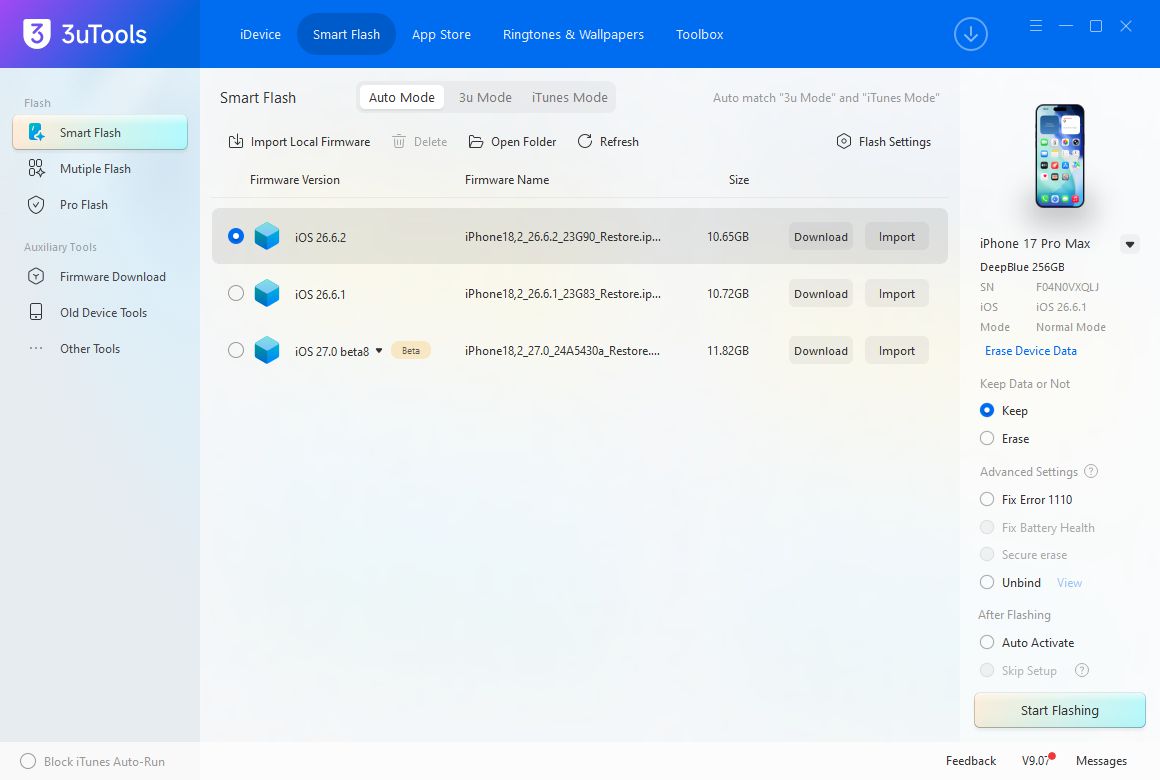
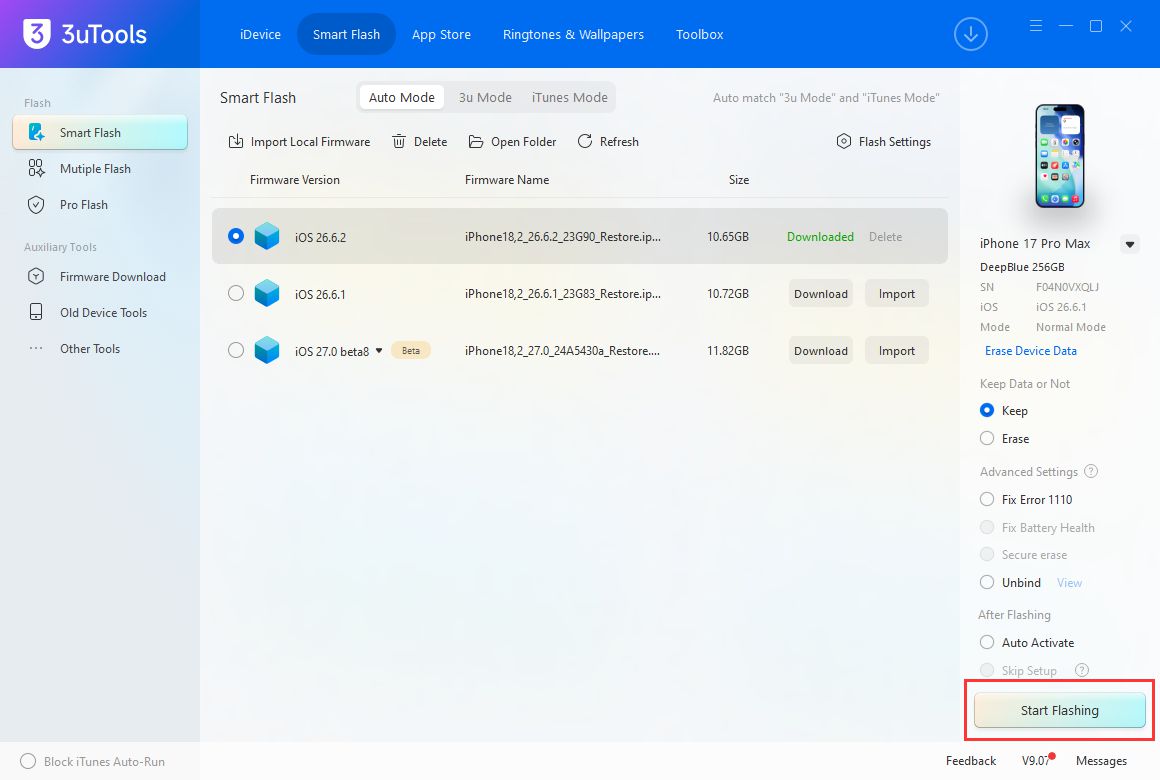
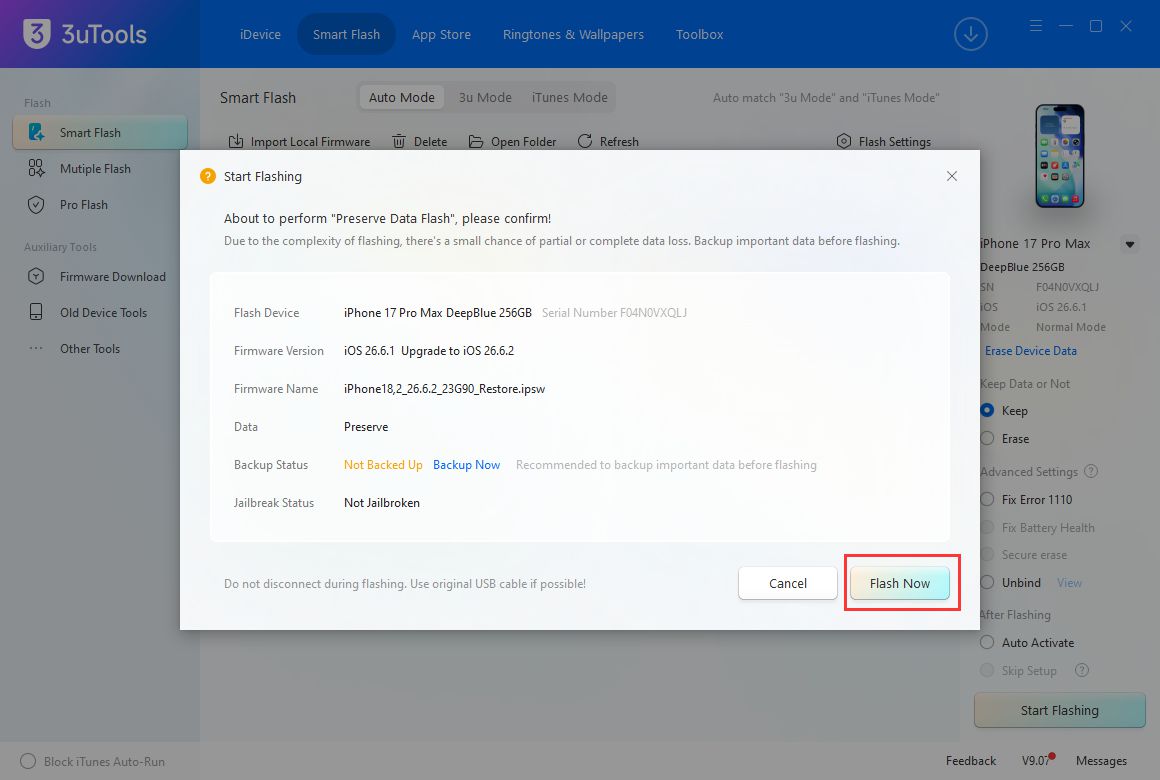
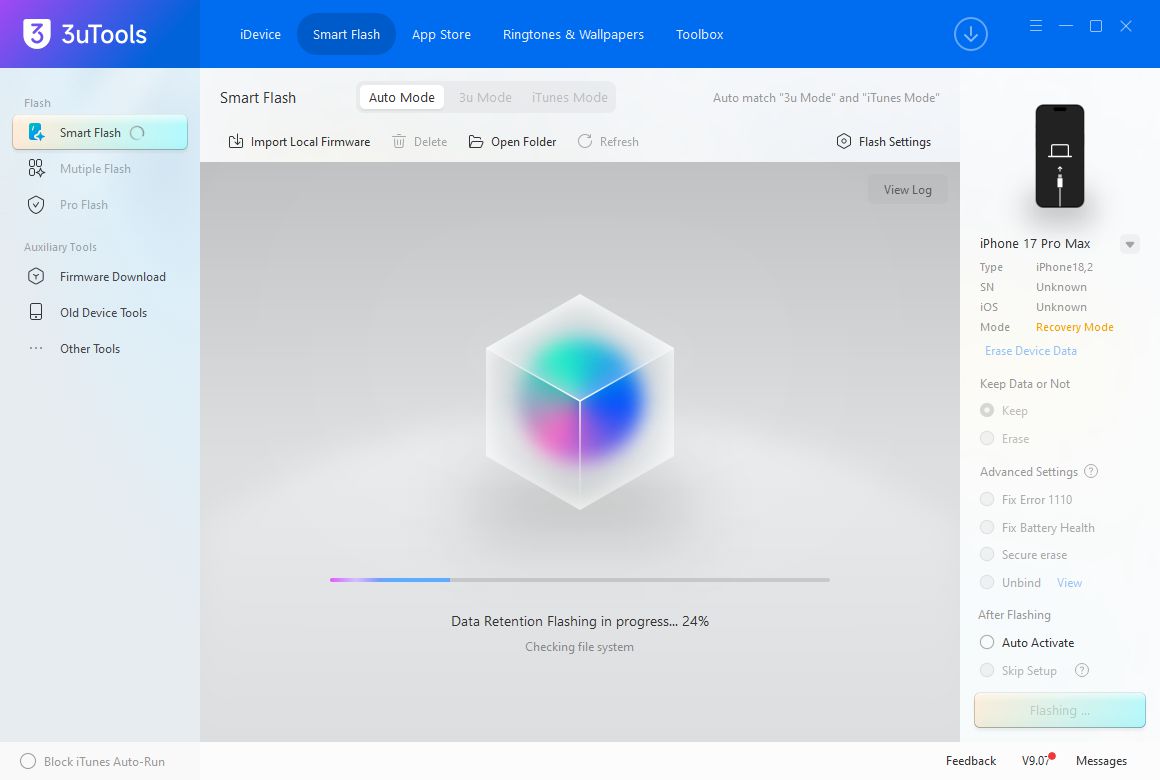
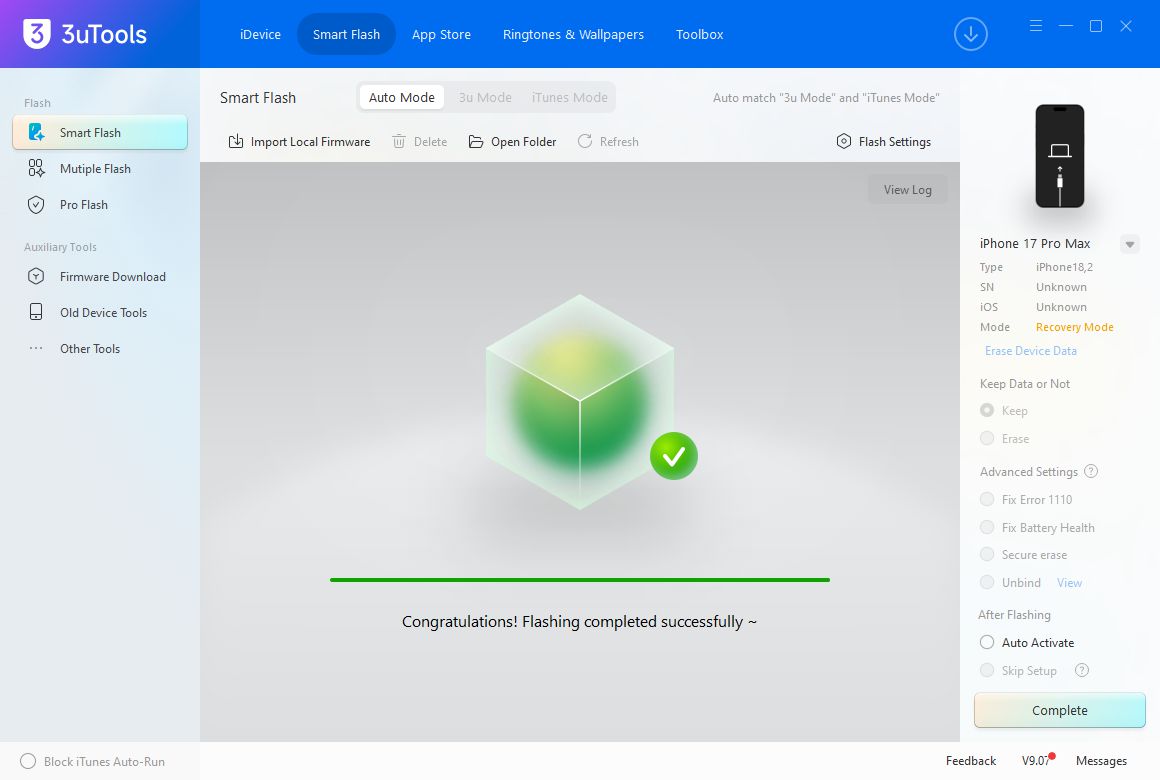

Tip: Make sure your iPhone has been backed up before flashing. Keep the device connected during the entire process and follow the instructions displayed by 3uTools.
Important Notice About iOS Downgrading
Before upgrading, check Apple's signing status for your current and target iOS versions. Once Apple stops signing an iOS version, 3uTools cannot downgrade your device to that unsigned version.
If you may want to downgrade in the future, check the signing status before upgrading.
3uTools View
iOS 26.6.2 is a relatively small update, but it addresses an issue that can affect the software update process. Users who prefer a computer-based update method can use 3uTools as an alternative to OTA updating.
As Apple continues to release updates and change signing status for older iOS versions, checking firmware compatibility before upgrading remains important.
Sources: Apple Support; MacRumors.










