 NEWS
NEWS
Apple's Home Hub Will Have a Widget Gallery With iPhone Widget Support
 08/20/2026
 568
568
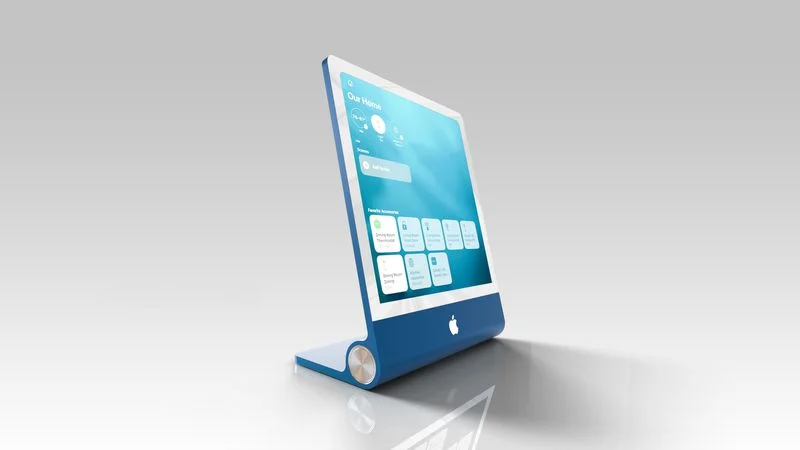
Apple is working on a home hub that incorporates Siri AI, and it's set to launch as soon as this year. The home hub will use a Widget Gallery that lets users select the content they want to appear on the device's home screen.
Mentions of the Widget Gallery were found in macOS Tahoe 26.7, an update that leaked a long list of unreleased Apple products. The strings were found in a file named PosterKit-J490, and J490 is the codename for the home hub. PosterKit is Apple's framework for Lock Screen customization, and the hub's home screen could have many of the same options for icons, widgets, and clock faces.
Apple already uses the Widget Gallery on iPhone, iPad, and Mac for adding widgets to the Home Screen and Lock Screen of those devices, and the home hub will have a similar mechanism.
Based on the code, widgets installed on a linked iPhone will be suggested on the home hub, much like how iPhone widgets are available on a Mac without an app being installed. It looks like third-party app widgets may be supported in addition to Apple's own apps. iPhone app widgets displayed on the home hub will have information mirrored from the iPhone.
All users in the home will be able to see the widgets installed on the home hub, but content in widgets will only be visible when the primary linked device is in the home for privacy protection.
A Smart Stack will automatically rotate through widgets to show relevant information throughout the day, and users will also be able to flip through the different Smart Stack options. Apple already has Smart Stack on its other devices, including the Apple Watch.
The home hub isn't expected to have its own App Store, but it will support Apple apps like Safari, Apple News, Apple Music, Notes, Calendar, Photos, and Home. Tapping on an installed widget from the home screen could launch a full app with more information. Code references a Face Gallery too, suggesting users will be able to select different clock options for the device's home screen, and it indicates that the hub will be able to be added to HomeKit scenes and automations alongside other smart home accessories.
Apple's hub is expected to have a 7-inch square display with options to put it on a base or mount it on the wall. More information about the device can be found in our guide.
Source: Macrumors










