 NEWS
NEWS
iPhone Ultra's Two Selfie Cameras Could Sit in the Same Corner
 08/13/2026
 504
504
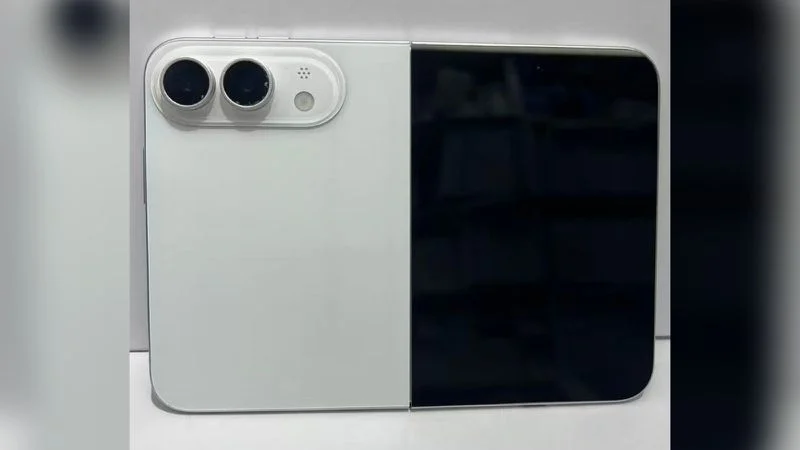
With Apple's upcoming iPhone Ultra there's been a lingering question over the exact placement of the selfie cameras in the device's folded and unfolded states – but today we may have stumbled upon the answer.
Dummy units have suggested a top-centered cut-out for the selfie camera on the outer display of Apple's foldable, while locating the selfie camera for the inner display in the outermost top-left corner. That presents an asymmetry untypical of Apple's designs.
However, screen protectors for the iPhone Ultra that surfaced online today suggest the device's selfie cameras on the inner and outer displays may be located in the same corner of the same half, with one facing out and one facing in.
The screen protectors show a selfie camera cutout on the top-right corner of the outer display when the device is closed. Taken together, the two leaks could imply one front-facing camera zone in a single corner.
Such an arrangement – two slightly offset lenses – could let Apple confine the cutouts and camera modules to a single region of a 4.5mm thick chassis, rather than having them spaced out in different places, which would fit for a device where internal space is at a premium.
Now, accessory makers typically work from leaked CAD files of sometimes dubious accuracy, so a pair of screen protectors can't be considered to provide definitive evidence of a device's design. Our reading also assumes the dummy iPhone Ultra models had one camera placement correct (the top-left inner selfie camera) and one out of whack (the centered outer camera). Even so, the side-by-side internal placement could make sense.
We'll know one way or another soon enough. The iPhone Ultra is expected to be unveiled next month, featuring a 5.5-inch cover display and a 7.8-inch inner display, the A20 Pro chip, Touch ID integrated into the Side button in lieu of Face ID, and a 5,000mAh battery, along with a 48-megapixel dual rear camera system.
Source: Macrumors










