NEWS

iPhone Air 2 Expected to Launch Early Next Year With Five New Features

08/03/2026

30

iPhone Air 2 Expected to Launch Early Next Year With Five New Features


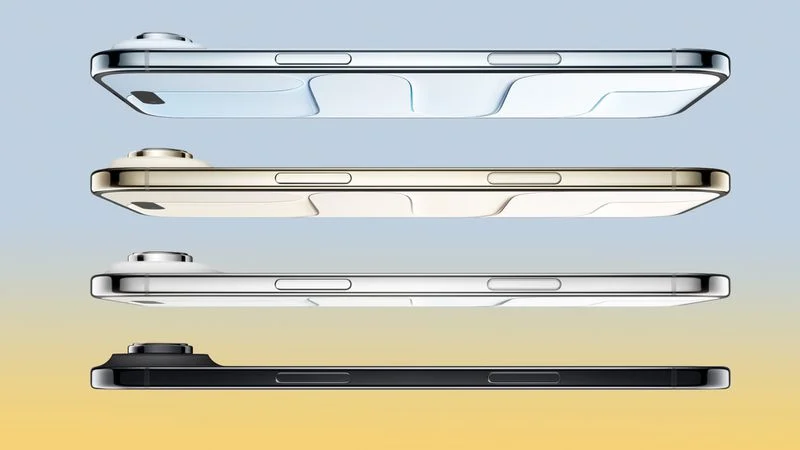
Apple plans to release a second-generation iPhone Air in the first quarter of 2027, according to Jeff Pu, an investment analyst who covers Apple.


In a research note with GF Securities today, Pu said the iPhone Air 2 will have the following five new features compared to the current model:

  • The addition of a second 48-megapixel rear camera — an Ultra Wide lens to complement the existing Fusion lens.
  • A slightly smaller Dynamic Island.
  • A faster and more power-efficient A20 Pro chip manufactured with TSMC's advanced 2nm process. The current iPhone Air has a 3nm A19 Pro chip.
  • Apple's second-generation N2 chip for wireless networking. In the existing iPhone Air, the N1 chip is an Apple-designed wireless networking chip that enables Wi-Fi 7, Bluetooth 6, and Thread. The chip also improves the overall performance and reliability of features like AirDrop and Personal Hotspot.
  • Apple's second-generation C2 chip for 5G. Apple says the current C1X chip is already the most power-efficient modem in an iPhone ever.

He expects the next iPhone Air to stick with a 6.5-inch display, 12GB of RAM, and an 18-megapixel Center Stage front camera.

Apple reportedly plans to release the iPhone Air 2 alongside the regular iPhone 18 and a lower-end iPhone 18e around March 2027. The higher-end iPhone 18 Pro, iPhone 18 Pro Max, and foldable "iPhone Ultra" are expected to launch this September, with the devices in the lineup rolling out at different times as part of a new strategy.

Source: Macrumors

 

Windows
Mac OS
iOS
Linux
3uTools
Win 64-bit For this device
V9.07 2026-07-17
Download
Win 32-bit For this device
V9.07 2026-07-17
Download
3uTools
Intel Chip How to Identify Chip Type
V9.05 2026-07-25
Download
Apple Silicon
V9.05 2026-07-25
Download
How to Identify Chip Type
1.  Click the Apple icon in the top-left corner of the screen and select About This Mac.
2.  Check the Processor or Chip field to determine if it is "Intel" or "Apple".
Please use the 3uTools PC client to install the iOS client:
1、 Install either the Windows or Mac version of 3uTools on your computer
2、 Open the PC client and connect your device to the computer via USB cable
3、 After the connection is successful, wait for the computer to automatically install the mobile app for the device, or locate “Install Mobile App” on the computer and manually click to install.
3uTools
deb file
V9.01 2026-05-28
Download
rpm file
V9.01 2026-05-28
Download
Windows
Windows
iOS
iOS
Android
Android
TV
TV
3uAirPlayer
Win 64-bit For this device
V6.0.6 2026-06-26
Download
Win 32-bit For this device
V6.0.6 2026-06-26
Download
iOS Device Mirroring (No App Required)
1、 Install 3uAirPlayer on the Windows PC
2、 Open Control Center and select Screen Mirroring
3、 From the list, choose your PC to start mirroring
4、 Or connect your iOS device to the PC via USB to begin mirroring
Scan to get "3uAirPlayer" App
3uAirPlayerTV
 
TV System Requirements: Android 7.0 or later
Download the TV installation package, copy it to a USB drive, insert it into your TV or set-top box, then select the file from the home screen to install.