 NEWS
NEWS
Factories Now Ready for iPhone 20's Glass Redesign, Leaker Claims
 07/15/2026
 638
638
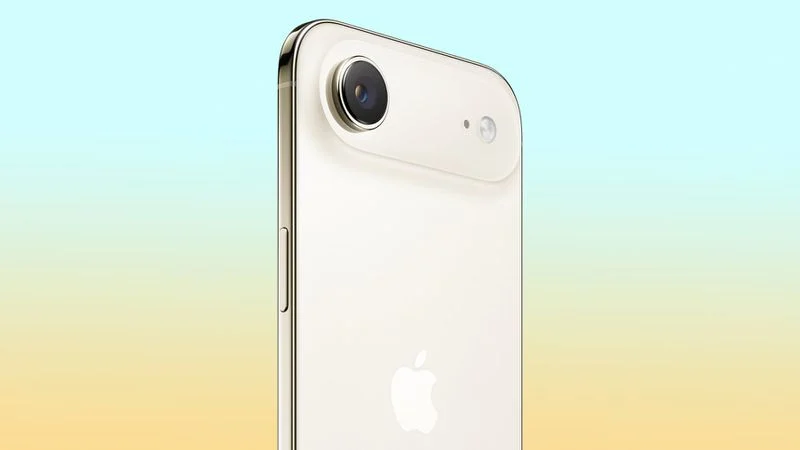
Facilities in Apple's supply chain have finished renovations ahead of "iPhone 20" production, according to a Weibo leaker who says Apple's 20th-anniversary iPhone will move to an all-glass design.
In a new post on Weibo, the leaker known as "Fixed Focus Digital" said the "preferred approach" for the iPhone 20 is a return to glass, with manufacturing quality expected to land somewhere around that of the first-generation iPhone Air. The leaker said the relevant manufacturing facility has "already been renovated" and is now waiting for machining to begin, but didn't name the supplier involved. Lens Technology produces iPhone cover glass and previously took over metal-frame and glass-back assembly plants from fellow supplier Catcher Technology.
Apple's iPhone production typically doesn't reach full-scale manufacturing until a matter of weeks before launch; for the iPhone 17, trial production began in June with full-volume output targeted for August, about a month ahead of the device's September release. The information likely refers to an early step in retooling a production line, which is the kind of groundwork Bloomberg said Apple is already "ramping up" as it develops the 20th-anniversary redesign.
The claim adds fresh supply chain detail to a redesign that has been rumored for well over a year. Bloomberg's Mark Gurman reported that Apple is aiming for a "mostly glass, curved iPhone without any cutouts in the display" to mark the iPhone's 20th anniversary, with curved glass wrapping around all sides of the device and a launch expected in September 2027.
In May, Fixed Focus Digital pushed back on an earlier report from fellow leaker Instant Digital claiming Apple was exploring liquid metal or an improved titanium alloy to replace aluminum on future Pro models, arguing that aluminum remains the only practical choice for now given the heat generated by on-device AI processing.
At the time, Fixed Focus Digital said any material change was unlikely before 2027, in line with the iPhone 18 Pro's expected retention of the same aluminum unibody design introduced on the iPhone 17 Pro. Earlier this month, the leaker reiterated that aluminum mid-frames are "going to be used in straight-edge phones for a long time to come," a distinction that leaves room for a different approach on the curved-edge iPhone 20.
The 20th anniversary iPhone models are expected to launch in the fall of 2027, following the iPhone 18, iPhone 18e, and iPhone Air 2 in the spring.
Source: Macrumors










