NEWS

Apple to Launch New iPad Pro in Spring 2027

Just now

12

 Apple to Launch New iPad Pro in Spring 2027


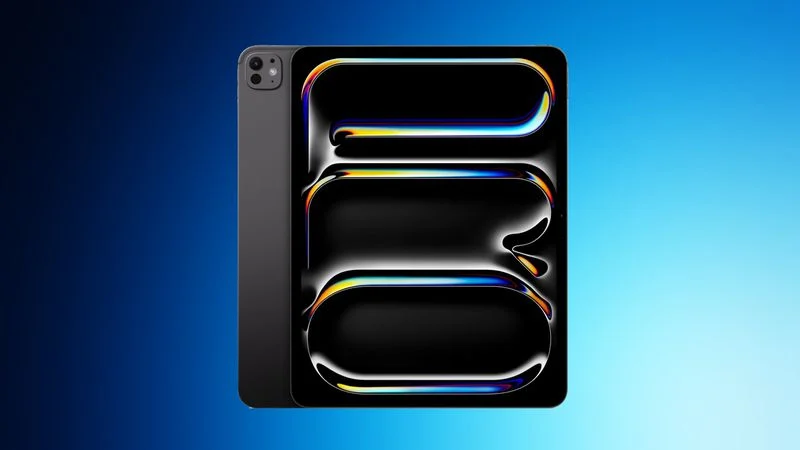
Apple is planning to release new 11-inch and 13-inch iPad Pro models in spring 2027, reports Bloomberg. No major design changes are expected, with Apple focusing on internal upgrades.


The ‌iPad Pro‌ models could use either M6 chips or M7 chips. Apple will introduce the M6 chip as soon as this year in an updated 14-inch MacBook Pro model, but it is aiming to release the M7 chip in the first half of 2027.


Bloomberg does not specify which chip Apple will put in the ‌iPad Pro‌, but if the M7 chip is ready by spring 2027, the new iPads could have the upgraded chip. If it's not ready, they'll use the M6. Both chips will be built on Apple's new 2-nanometer process, but the M7 has AI optimizations that the M6 doesn't have.


Apple has also tested a vapor chamber cooling system that could improve performance.


Little else is known about the new ‌iPad Pro‌ models, but if they come out in spring 2027, Apple could introduce them alongside the iPhone 18e, iPhone 18, and iPhone Air 2, devices that are also slated for spring 2027.


Source: Macrumors

Windows
Mac OS
iOS
Linux
3uTools
Win 64-bit For this device
V9.06 2026-04-09
Download
Win 32-bit For this device
V9.06 2026-04-09
Download
3uTools
Intel Chip How to Identify Chip Type
V9.03 2026-03-27
Download
Apple Silicon
V9.03 2026-03-27
Download
How to Identify Chip Type
1.  Click the Apple icon in the top-left corner of the screen and select About This Mac.
2.  Check the Processor or Chip field to determine if it is "Intel" or "Apple".
Please use the 3uTools PC client to install the iOS client:
1、 Install either the Windows or Mac version of 3uTools on your computer
2、 Open the PC client and connect your device to the computer via USB cable
3、 After the connection is successful, wait for the computer to automatically install the mobile app for the device, or locate “Install Mobile App” on the computer and manually click to install.
3uTools
deb file
V9.01 2026-05-28
Download
rpm file
V9.01 2026-05-28
Download
Windows
Windows
iOS
iOS
Android
Android
TV
TV
3uAirPlayer
Win 64-bit For this device
V6.0.6 2026-06-26
Download
Win 32-bit For this device
V6.0.6 2026-06-26
Download
iOS Device Mirroring (No App Required)
1、 Install 3uAirPlayer on the Windows PC
2、 Open Control Center and select Screen Mirroring
3、 From the list, choose your PC to start mirroring
4、 Or connect your iOS device to the PC via USB to begin mirroring
Scan to get "3uAirPlayer" App
3uAirPlayerTV
 
TV System Requirements: Android 7.0 or later
Download the TV installation package, copy it to a USB drive, insert it into your TV or set-top box, then select the file from the home screen to install.