 NEWS
NEWS
macOS 27 Hints at 'MacBook Ultra' in Three Ways
 06/11/2026
 1045
1045
Apple this week unveiled macOS 27 Golden Gate, and the upcoming software update hints at the rumored "MacBook Ultra" in at least three ways.
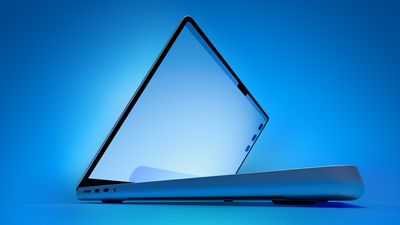
"MacBook Ultra" is the rumored name for a new high-end model above the MacBook Pro. The laptop is rumored to feature an OLED display, touch-screen capabilities, a Dynamic Island, a thinner design, and M6 Pro and M6 Max chips.
macOS 27 includes a trio of hints about touch-screen support and a Dynamic Island in particular.
First, the update adds direct touch input to Sidecar, the feature that allows you to use an iPad as a second display for a Mac. This enhancement allows users to tap and interact with macOS elements with a finger on their iPad. This strongly hints at Apple preparing to bring touch-screen support to macOS after years of resisting.
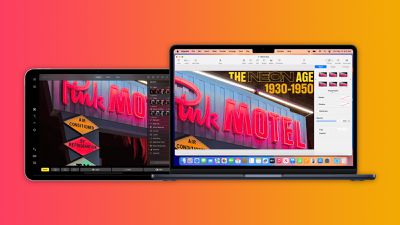
Second, macOS 27 adds iPhone-like pull-to-refresh support to the Mac. This allows you to swipe down on the trackpad to refresh the page or visible content in apps such as Safari, Mail, News, Podcasts, and Calendar. Apple may have finally expanded this functionality to the Mac in preparation for a "MacBook Ultra" with a touch screen.
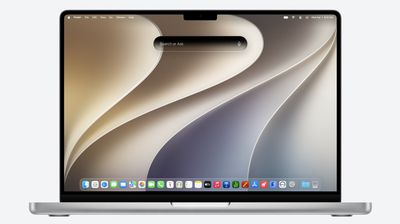
Third, the new "Search or Ask" feature powered by the revamped version of Siri is built into Spotlight on macOS 27, resulting in a dark, pill-shaped interface that would be very fitting for a MacBook screen with a Dynamic Island.
On the MacBook Ultra, the "Search or Ask" interface would likely be positioned higher so that it surrounds the Dynamic Island when visible.
macOS 27 is currently available in developer beta, with a public beta to follow in July. The update is expected to be released in September.
Apple reportedly plans to launch the "MacBook Ultra" in early 2027.
Source: Macrumors










