 NEWS
NEWS
Here's How Liquid Glass Is Changing in iOS 27
 06/11/2026
 800
800
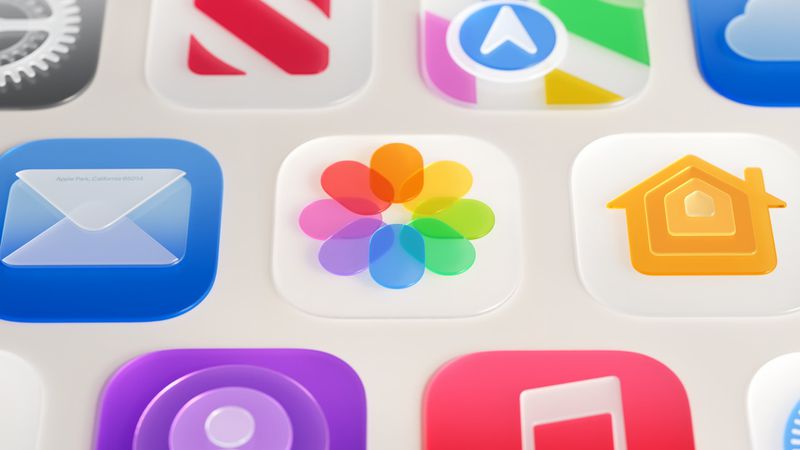
Apple this week detailed a broad set of improvements to Liquid Glass, the translucent design language it introduced last year, spanning readability, personalization, sidebar behavior, and app icons.
Announced at the WWDC 2026 keynote and elaborated on further at the Platforms State of the Union, the changes address feedback that followed last year's rollout by making adjustments to the underlying foundations of how Liquid Glass is constructed.
At the core of the updates is a tuning of how the material handles content behind it. Apple has adjusted Liquid Glass so it more effectively diffuses complex content, improving readability throughout the system. To add greater depth and visual separation, Apple has also introduced a darkened edge around Liquid Glass elements, along with brighter specular highlights.
The headline change for users is a new transparency slider in Settings, which allows the look of Liquid Glass to be adjusted anywhere from ultra clear to fully tinted. The control goes considerably further than a binary toggle, giving users granular control over how much the glass effect appears across the system.
Apps already using Liquid Glass will gain many of these improvements automatically when running on iOS 27, without needing to be recompiled. Liquid Glass also adapts to accessibility settings such as Reduce Transparency and Increase Contrast.
Apple has also addressed behavior when content scrolls under floating bars. A uniform toolbar now appears across the top in these situations, keeping text legible while improving contrast. The effect is applied automatically for standard toolbars and can be further adjusted using the existing scroll edge effect APIs.
Icon rendering has been updated substantially. Apple says icons will now appear sharper and more defined, with new refraction features that can be selectively applied for added character. On macOS and iPadOS, developers also now have access to an API to surface icons for key app actions in menus, which are hidden by default.
Icon Composer, Apple's dedicated tool for designing app icons, has been updated to support building icons from multiple layers of Liquid Glass. New annotation features allow developers to add refraction or dial in content effects, while an interactive preview shows how a designed icon will look on earlier operating system releases.
Apple has also made a number of changes specific to macOS 27 Golden Gate, including further sidebar refinements and window corner radius updates. For a full breakdown of how Liquid Glass is evolving on the Mac, see our dedicated article.
Source: Macrumors










