NEWS

iOS 28 Will Reportedly Be 'Far More Significant' Than iOS 27

06/01/2026

21

 iOS 28 Will Reportedly Be 'Far More Significant' Than iOS 27


In his Power On newsletter today, he said that iOS 28 will be "far more significant" than iOS 27, but he did not provide any specific details.


"Next year's '28' releases are already shaping up to be far more significant than the '27' updates," wrote Gurman, without elaborating.


iOS 28 is codenamed "Bell," while macOS 28 is "Poppy," he said.


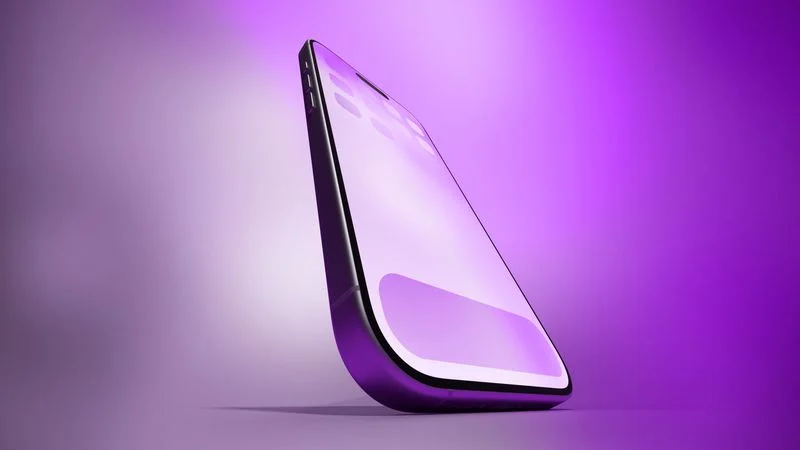
iOS 28 would be the first version available on Apple's redesigned 20th-anniversary iPhone, which is expected to be released in September next year.


iOS 27 will seemingly be focused on a revamped Siri and additional Apple Intelligence features. The update will include the long-awaited personalized version of Siri, complete with on-screen awareness and better understanding of your personal context. For example, at WWDC 2024, Apple showed a user asking Siri about their mother's flight and lunch reservation based on info retrieved from the Mail and Messages apps.


A dedicated Siri app will allow you to have back-and-forth conversations with Siri in text or voice modes, similar to other chatbot apps like ChatGPT. In addition, iOS 27 is expected to add a "Search or Ask" feature to the Dynamic Island.


It remains to be seen exactly how iOS 28 will be more significant. The update will be unveiled at WWDC 2027 next June, so there is a long time to go.


Source: Macrumors

Windows
Mac OS
iOS
Linux
3uTools
Win 64-bit For this device
V9.06 2026-04-09
Download
Win 32-bit For this device
V9.06 2026-04-09
Download
3uTools
Intel Chip How to Identify Chip Type
V9.03 2026-03-27
Download
Apple Silicon
V9.03 2026-03-27
Download
How to Identify Chip Type
1.  Click the Apple icon in the top-left corner of the screen and select About This Mac.
2.  Check the Processor or Chip field to determine if it is "Intel" or "Apple".
Please use the 3uTools PC client to install the iOS client:
1、 Install either the Windows or Mac version of 3uTools on your computer
2、 Open the PC client and connect your device to the computer via USB cable
3、 After the connection is successful, wait for the computer to automatically install the mobile app for the device, or locate “Install Mobile App” on the computer and manually click to install.
3uTools
deb file
V9.01 2026-05-28
Download
rpm file
V9.01 2026-05-28
Download
Windows
Windows
iOS
iOS
Android
Android
TV
TV
3uAirPlayer
Win 64-bit For this device
V6.0.5 2026-04-23
Download
Win 32-bit For this device
V6.0.5 2026-04-23
Download
iOS Device Mirroring (No App Required)
1、 Install 3uAirPlayer on the Windows PC
2、 Open Control Center and select Screen Mirroring
3、 From the list, choose your PC to start mirroring
4、 Or connect your iOS device to the PC via USB to begin mirroring
Scan to get "3uAirPlayer" App
3uAirPlayer TV V1.0.18
2025-11-28
TV System Requirements: Android 7.0 or later
Download the TV installation package, copy it to a USB drive, insert it into your TV or set-top box, then select the file from the home screen to install.