 NEWS
NEWS
Apple Glasses Reportedly Launching in 'Late 2027' With These Features
 06/01/2026
 513
513
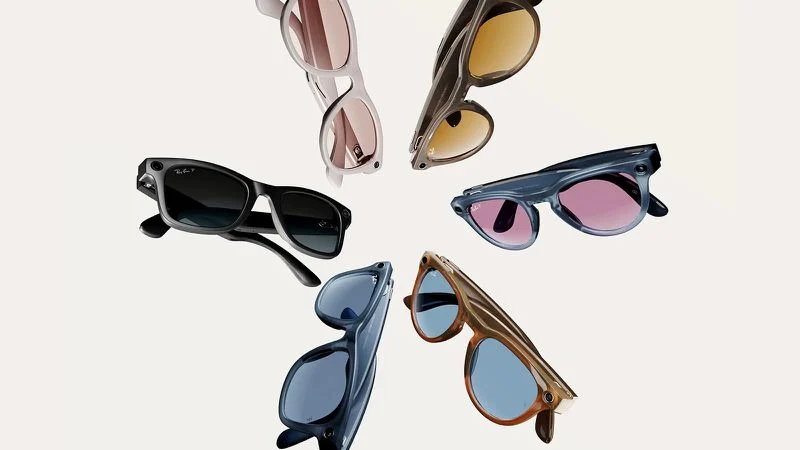
Apple is now aiming to release its first smart glasses in "late 2027," according to the latest word from Bloomberg's Mark Gurman.
He previously said that Apple planned to begin shipping the glasses by early 2027, but he said the product has faced development delays.
The glasses will feature "oval-shaped cameras, unique colors, and multiple frame styles," according to Gurman. "Over time, Apple believes the glasses could evolve into a health device and eventually incorporate augmented reality technologies capable of improving how people see," he said, but this technology is likely years away.
According to Gurman's sources, Apple's CEO Tim Cook views the glasses as his "top priority" before he hands the reigns to John Ternus on September 1.
The glasses will compete with products in the $200 to $500 range in the U.S., he said.
Like the Meta Ray-Bans, Apple's glasses will have built-in cameras that let users capture photos and videos. There would also be speakers and microphones for music, phone calls, and notifications announced by Siri, he said.
The glasses could offer turn-by-turn walking directions.
As for build quality, he said Apple is designing its own plastic frames, with the company allegedly testing at least four potential designs:
- A larger rectangular frame, similar to Ray-Ban's Wayfarers
- A slimmer rectangular design, similar to the glasses worn by Apple CEO Tim Cook
- Larger oval or circular frames
- Smaller oval or circular frames
Apple is exploring a range of color options, including black, ocean blue, and light brown, and the glasses may have vertically-oriented oval camera lenses, he said.
Meta uses frames from the popular glasses brand Ray-Ban.
Unlike the latest generation of Meta Ray-Bans, Gurman does not expect Apple's first smart glasses to have an in-lens augmented reality display. He does not expect Apple's glasses to gain such a feature for at least a few years.
Source: Macrumors










