NEWS

macOS 27: Two More Changes Leaked Ahead of WWDC Next Month

05/11/2026

68

 macOS 27: Two More Changes Leaked Ahead of WWDC Next Month


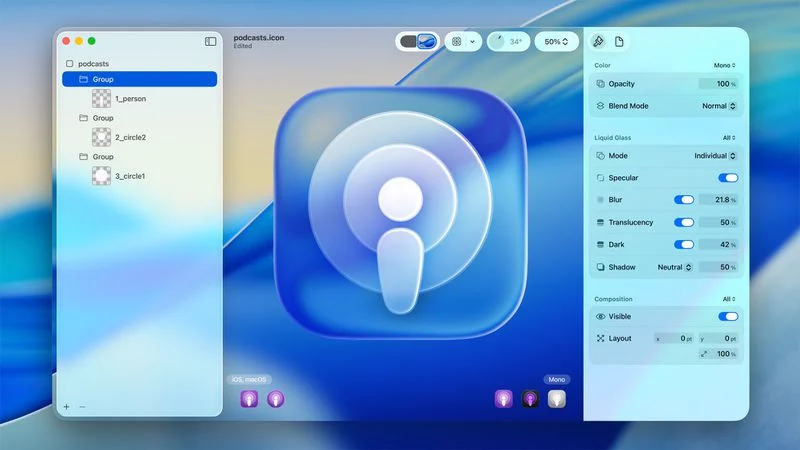
macOS 27 will have a "slight redesign" compared to macOS Tahoe, along with an option to automatically group tabs in Safari, according to Bloomberg's Mark Gurman.


In his Power On newsletter today, Gurman said the design changes will help to address some of the criticism surrounding macOS Tahoe's new Liquid Glass interface. In particular, the changes should improve overall readability.


"Apple aims to address the shadows and transparency quirks," he said.


In addition, Gurman said Apple is testing a new AI-powered Safari feature that can automatically organize browser tabs into groups. This feature, previously revealed by MacRumors, is expected to be available across macOS 27, iOS 27, and iPadOS 27.


"I'm told that in test versions of iOS 27, the center-top button that users can tap to move between their tab groups has a new option called 'Organize Tabs,'" he said. "You can choose whether you want the grouping to occur automatically or not."


Apple will unveil macOS 27 during its WWDC 2026 keynote on Monday, June 8.


The first developer beta of macOS 27 will likely be available immediately following the keynote, and a public beta typically follows in July. Following beta testing, the software update should be released to all users in September.


Source: Macrumors

Windows
Mac OS
iOS
Linux
3uTools
Win 64-bit For this device
V9.06 2026-04-09
Download
Win 32-bit For this device
V9.06 2026-04-09
Download
3uTools
Intel Chip How to Identify Chip Type
V9.03 2026-03-27
Download
Apple Silicon
V9.03 2026-03-27
Download
How to Identify Chip Type
1.  Click the Apple icon in the top-left corner of the screen and select About This Mac.
2.  Check the Processor or Chip field to determine if it is "Intel" or "Apple".
Please use the 3uTools PC client to install the iOS client:
1、 Install either the Windows or Mac version of 3uTools on your computer
2、 Open the PC client and connect your device to the computer via USB cable
3、 After the connection is successful, wait for the computer to automatically install the mobile app for the device, or locate “Install Mobile App” on the computer and manually click to install.
3uTools
deb file
V9.0 2026-04-16
Download
rpm file
V9.0 2026-04-16
Download
Windows
Windows
iOS
iOS
Android
Android
TV
TV
3uAirPlayer
Win 64-bit For this device
V6.0.5 2026-04-23
Download
Win 32-bit For this device
V6.0.5 2026-04-23
Download
iOS Device Mirroring (No App Required)
1、 Install 3uAirPlayer on the Windows PC
2、 Open Control Center and select Screen Mirroring
3、 From the list, choose your PC to start mirroring
4、 Or connect your iOS device to the PC via USB to begin mirroring
Scan to get "3uAirPlayer" App
3uAirPlayer TV V1.0.18
2025-11-28
TV System Requirements: Android 7.0 or later
Download the TV installation package, copy it to a USB drive, insert it into your TV or set-top box, then select the file from the home screen to install.