 NEWS
NEWS
AirPods Pro With AI Cameras Reach 'Advanced' Testing Stage
 05/08/2026
 983
983
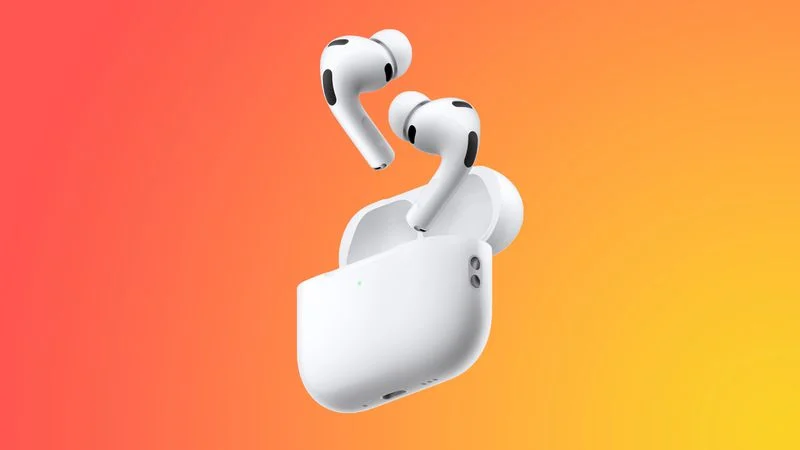
Apple's upcoming camera-equipped AirPods Pro are nearing completion and have reached an "advanced" testing stage, reports Bloomberg. The design is almost finalized, as is the feature set, and early mass production could begin soon.
The AirPods Pro will have built-in cameras that will feed visual information about the wearer's surroundings to Siri. While there will be a longer stem for the camera in each AirPod, the device will otherwise look similar to the AirPods Pro 3.
The cameras in the AirPods will not be able to take photos or videos, and will solely be used for AI purposes. A small LED light will illuminate when the AirPods are sending visual information to Siri.
Apple wants users to be able to look at an item and ask Siri questions about it, working similarly to image uploads in chatbot apps. The cameras could also offer reminders based on visual information, and give more detailed turn-by-turn directions by viewing what's around the wearer.
The Camera app in iOS 27 is also set to get a Siri mode that incorporates Visual Intelligence, letting users do things like scan nutrition labels on food packaging for calorie tracking.
Apple wanted to start selling the camera-equipped AirPods Pro in the first half of 2026, but the product's launch has been held back because the smarter, AI version of Siri is not yet ready to be released. The new Siri is set to be introduced in September in iOS 27, macOS 27, and iPadOS 27, so we could see the AirPods Pro launch sometime in that same timeframe.
Apple could also opt to wait to launch the AirPods if it is not satisfied with the quality of the Visual Intelligence features planned for Siri.
It is not yet clear how the new AirPods will fit into Apple's lineup. Rumors suggest Apple does not intend to brand them as the "AirPods Pro 4," and they could instead be referred to as the AirPods Ultra, or perhaps AirPods Pro 3 With Cameras.
Source: Macrumors










