NEWS

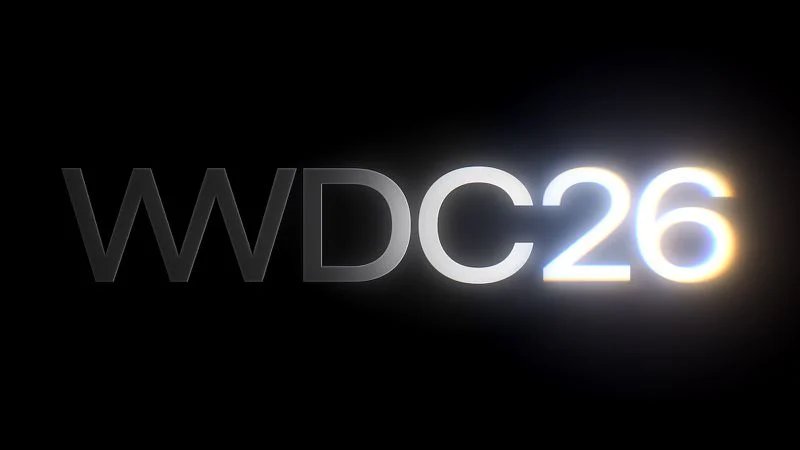
WWDC 2026 Graphic Teases Major iOS 27 Feature

Just now

24

 WWDC 2026 Graphic Teases Major iOS 27 Feature


Apple's WWDC 2026 graphic provides "a glimpse of the revamped Siri interface coming in iOS 27," according to Bloomberg's Mark Gurman.


In his Power On newsletter today, Gurman said iOS 27 will include a new Siri interface in the Dynamic Island. When you trigger Siri, he said the Dynamic Island will show a "Search or Ask" prompt, and this will apparently be accompanied by a "glowing cursor" that looks similar to how the "26" is highlighted in the WWDC 2026 graphic.


There will also be a "thin glow" around the edges of the Dynamic Island when Siri is invoked, and in the search bar of a dedicated Siri app that will be preinstalled on iOS 27, according to Gurman. He previously reported that the Siri app will allow you to have back-and-forth conversations with Siri and view your conversation history.


While the Dynamic Island is available on the iPhone 14 Pro and newer, at least some aspects of the upcoming Siri design will likely be limited to the iPhone 15 Pro and newer due to Apple Intelligence compatibility reasons.


Apple announced that WWDC 2026 will run from Monday, June 8 through Friday, June 12. At the annual developers conference, Apple is expected to unveil iOS 27, iPadOS 27, macOS 27, watchOS 27, tvOS 27, visionOS 27, and more.


Source: Macrumors

Windows
Mac OS
iOS
Linux
3uTools
Win 64-bit For this device
V9.06 2026-04-09
Download
Win 32-bit For this device
V9.06 2026-04-09
Download
3uTools
Intel Chip How to Identify Chip Type
V9.03 2026-03-27
Download
Apple Silicon
V9.03 2026-03-27
Download
How to Identify Chip Type
1.  Click the Apple icon in the top-left corner of the screen and select About This Mac.
2.  Check the Processor or Chip field to determine if it is "Intel" or "Apple".
Please use the 3uTools PC client to install the iOS client:
1、 Install either the Windows or Mac version of 3uTools on your computer
2、 Open the PC client and connect your device to the computer via USB cable
3、 After the connection is successful, wait for the computer to automatically install the mobile app for the device, or locate “Install Mobile App” on the computer and manually click to install.
3uTools
deb file
V9.0 2026-04-16
Download
rpm file
V9.0 2026-04-16
Download
Windows
Windows
iOS
iOS
Android
Android
TV
TV
3uAirPlayer
Win 64-bit For this device
V6.0.3 2026-03-11
Download
Win 32-bit For this device
V6.0.3 2026-03-11
Download
iOS Device Mirroring (No App Required)
1、 Install 3uAirPlayer on the Windows PC
2、 Open Control Center and select Screen Mirroring
3、 From the list, choose your PC to start mirroring
4、 Or connect your iOS device to the PC via USB to begin mirroring
Scan to get "3uAirPlayer" App
3uAirPlayer TV V1.0.18
2025-11-28
TV System Requirements: Android 7.0 or later
Download the TV installation package, copy it to a USB drive, insert it into your TV or set-top box, then select the file from the home screen to install.