 NEWS
NEWS
iPhone 18 Pro Deep Red Color Likely as Android Rivals Prep Same Shade
 04/14/2026
 1359
1359
Apple's upcoming iPhone 18 Pro is very likely to come in a new deep red color, claims a Chinese leaker, because the color is already being prototyped by Android phone makers.
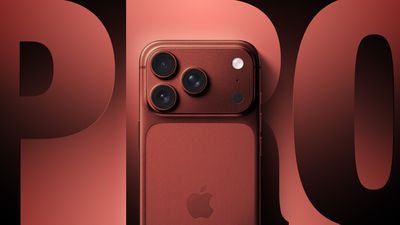
In February, Bloomberg's Mark Gurman reported that Apple is testing a deep red finish for the iPhone 18 Pro and iPhone 18 Pro Max. Rumors of purple and brown finishes have also circulated, but Gurman believes those are just variants of the same red idea.
Weibo-based leaker Digital Chat Station has now thrown their weight behind the rumor. In a post shared over the weekend, the leaker said there was a high likelihood that Apple is testing the deep red finish, based on the fact that they have seen the same color in prototypes of next-generation Android phones by rival brands.
It's unclear if the leaker is suggesting that Android makers have inside knowledge of Apple's color plans and are aiming to match it, or that the color's appearance is a sign of shared trend forecasting. Both Apple and Android OEMs likely rely on global color forecasting agencies that track fashion trends, and if deep red is "on trend," several companies could end up adopting it independently. However, Android makers are also well known for copying Apple's design trends.
According to Instant Digital, another Weibo-based leaker, Apple's iPhone 18 Pro models won't come in black this year. If the rumor is true, it will be the second consecutive year Apple has ditched what was arguably its most classic color option for the Pro lineup. The premium devices are expected to arrive this September alongside Apple's first foldable iPhone.
Source: Macrumors










