NEWS

Mac Mini and Mac Studio Facing Extreme Shipping Delays Amid Severe RAM Shortage

04/07/2026

135

Mac Mini and Mac Studio Facing Extreme Shipping Delays Amid Severe RAM Shortage


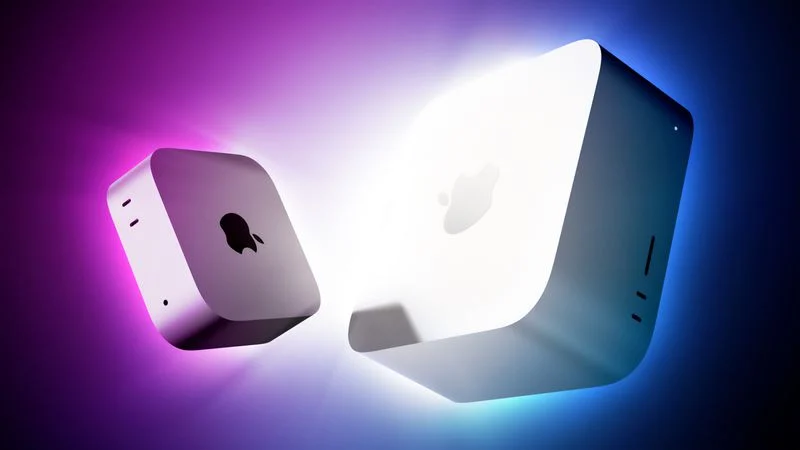
Apple's online store in the U.S. is currently showing delivery estimates of up to 4-5 months for many Mac mini and Mac Studio configurations with upgraded amounts of RAM. The delays are occurring amid a severe global memory chip shortage driven by surging demand from companies building AI servers that require large amounts of RAM.


For example, a Mac mini with an M4 Pro chip and 64GB of RAM ordered from Apple's online store in the U.S. today is estimated to ship in 16-18 weeks.


Even the $599 base model with an M4 chip and 16GB of RAM has a one-month delay.


Likewise, a Mac Studio with an M3 Ultra chip and 256GB of RAM is estimated to ship in 4-5 months, with in-store pickup not available until September.


Last month, Apple entirely removed the Mac Studio's 512GB of RAM option.


Memory chip prices are reportedly starting to stabilize or slightly decrease, but prices still remain well above historical averages, so high-end Mac mini and Mac Studio shipping estimates might not meaningfully improve any time soon.


Source: Macrumors

Windows
Mac OS
iOS
Linux
3uTools
Win 64-bit For this device
V9.05 2026-03-28
Download
Win 32-bit For this device
V9.05 2026-03-28
Download
3uTools
Intel Chip How to Identify Chip Type
V9.03 2026-03-27
Download
Apple Silicon
V9.03 2026-03-27
Download
How to Identify Chip Type
1.  Click the Apple icon in the top-left corner of the screen and select About This Mac.
2.  Check the Processor or Chip field to determine if it is "Intel" or "Apple".
Please use the 3uTools PC client to install the iOS client:
1、 Install either the Windows or Mac version of 3uTools on your computer
2、 Open the PC client and connect your device to the computer via USB cable
3、 After the connection is successful, wait for the computer to automatically install the mobile app for the device, or locate “Install Mobile App” on the computer and manually click to install.
3uTools
deb file
V3.01 2025-11-20
Download
rpm file
V3.01 2025-11-20
Download
Windows
Windows
iOS
iOS
Android
Android
TV
TV
3uAirPlayer
Win 64-bit For this device
V6.0.3 2026-03-11
Download
Win 32-bit For this device
V6.0.3 2026-03-11
Download
iOS Device Mirroring (No App Required)
1、 Install 3uAirPlayer on the Windows PC
2、 Open Control Center and select Screen Mirroring
3、 From the list, choose your PC to start mirroring
4、 Or connect your iOS device to the PC via USB to begin mirroring
Scan to get "3uAirPlayer" App
3uAirPlayer TV V1.0.18
2025-11-28
TV System Requirements: Android 7.0 or later
Download the TV installation package, copy it to a USB drive, insert it into your TV or set-top box, then select the file from the home screen to install.