 NEWS
NEWS
What Hasn't Changed With AirPods Max 2
 03/17/2026
 1425
1425
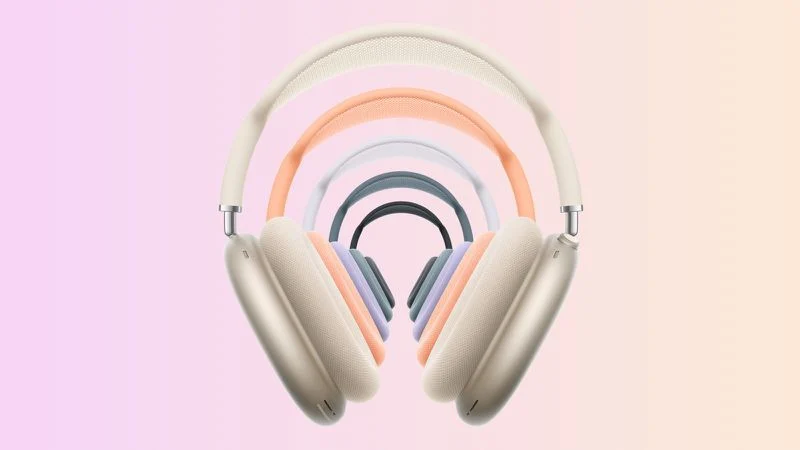
The AirPods Max 2 feature the H2 chip, improved Active Noise Cancellation, and Adaptive Audio capabilities, but the design and much of the hardware remains unchanged.
Most notably, the overall industrial design is identical. AirPods Max 2 retain the same aluminum ear cups, stainless steel headband frame, telescoping arms, and knit mesh canopy introduced with the original model. The dimensions, weight, and overall construction appear to be unchanged, meaning the headphones look and feel the same as previous versions. The knit mesh canopy is also the same despite criticism over time that the fabric can stretch or lose tension with prolonged use.
The Smart Case has also not been updated and the device still uses the same case introduced in 2020, which covers the ear cups while leaving the headband exposed and places the headphones into an ultra-low-power state when stored inside.
The Smart Case drew criticism when AirPods Max first launched, with many reviewers pointing to its unusual appearance and the limited protection it offers compared to traditional headphone cases. Some users also reported that the material damaged easily and creased over time.
Because AirPods Max lack a dedicated power button, placing the headphones in the Smart Case is effectively the only reliable way to force them into their lowest-power standby mode. Without the case, the headphones can remain active for extended periods. Despite these criticisms, Apple has not redesigned or replaced the Smart Case.
The acoustic hardware also appears to be essentially the same across generations. The AirPods Max 2 continue to use Apple's custom 40mm dynamic drivers and the same basic acoustic architecture introduced with the original model. However, they add a new custom high dynamic range amplifier and updated digital signal processing, meaning sound improvements are likely driven more by amplification and processing changes than by redesigned drivers.
Color options have also remained consistent across the last two versions of the headphones. The 2024 USB-C refresh introduced Starlight, Midnight, Blue, Purple, and Orange, and those same finishes carry over to the AirPods Max 2. These replaced the original lineup of Silver, Space Gray, Sky Blue, Pink, and Green.
Battery life is also unchanged. AirPods Max continue to offer around 20 hours of listening time with Active Noise Cancellation and Spatial Audio enabled, matching Apple's original estimate.
Source: Macrumors










