NEWS

Apple is Aiming to Add a System-Wide Liquid Glass Slider to iOS 27

03/16/2026

37

Apple is Aiming to Add a System-Wide Liquid Glass Slider to iOS 27


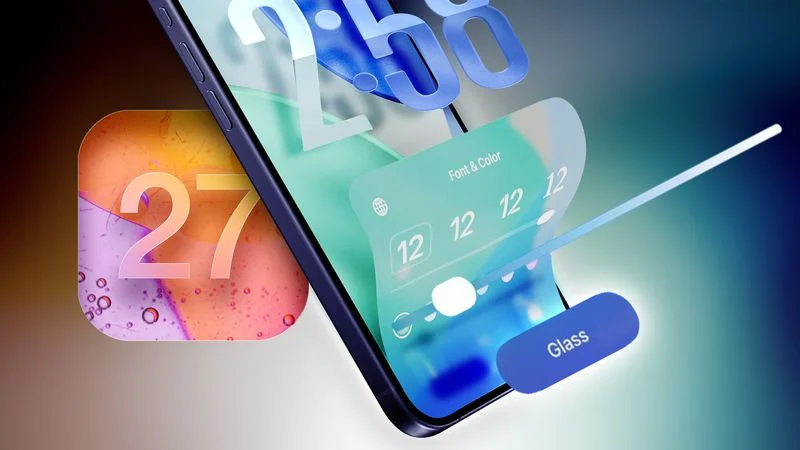
In his Power On newsletter today, Bloomberg's Mark Gurman said the latest internal version of iOS 27 does not have major Liquid Glass design changes, but there might be a new system-wide setting for precisely adjusting the look of the interface.


iOS 26.1 lets you choose between "Clear" and "Tinted" options for Liquid Glass, with the "Tinted" look adding more opacity to user interface elements. And with iOS 27, which is expected to be released later this year, Apple might go even further.


iOS 26.2 introduced a slider that allows you to manually adjust the opacity of Liquid Glass, but only for the Lock Screen's clock. Starting with iOS 27, Gurman said the setting might be expanded to the entire operating system.


Apple was initially working on a system-wide Liquid Glass slider for iOS 26, but it ran into engineering challenges when trying to extend it across the entire system, according to Gurman. However, he said Apple could go back to the drawing board and manage to get the system-wide slider working in an iOS 27 version.


"Apple is trying again now for iOS 27," said Gurman, in a social media post referring to the system-wide Liquid Glass slider. "TBD if it lands."


iOS 27 beta testing should begin in June, ahead of a September release.


Source: Macrumors



Windows
Mac OS
iOS
Linux
3uTools
Win 64-bit For this device
V9.03 2026-03-12
Download
Win 32-bit For this device
V9.03 2026-03-12
Download
3uTools
Intel Chip How to Identify Chip Type
V9.01 2025-12-31
Download
Apple Silicon
V9.01 2025-12-31
Download
How to Identify Chip Type
1.  Click the Apple icon in the top-left corner of the screen and select About This Mac.
2.  Check the Processor or Chip field to determine if it is "Intel" or "Apple".
Please use the 3uTools PC client to install the iOS client:
1、 Install either the Windows or Mac version of 3uTools on your computer
2、 Open the PC client and connect your device to the computer via USB cable
3、 After the connection is successful, wait for the computer to automatically install the mobile app for the device, or locate “Install Mobile App” on the computer and manually click to install.
3uTools
deb file
V3.01 2025-11-20
Download
rpm file
V3.01 2025-11-20
Download
Windows
Windows
iOS
iOS
Android
Android
TV
TV
3uAirPlayer
Win 64-bit For this device
V6.0.3 2026-03-11
Download
Win 32-bit For this device
V6.0.3 2026-03-11
Download
iOS Device Mirroring (No App Required)
1、 Install 3uAirPlayer on the Windows PC
2、 Open Control Center and select Screen Mirroring
3、 From the list, choose your PC to start mirroring
4、 Or connect your iOS device to the PC via USB to begin mirroring
Scan to get "3uAirPlayer" App
3uAirPlayer TV V1.0.18
2025-11-28
TV System Requirements: Android 7.0 or later
Download the TV installation package, copy it to a USB drive, insert it into your TV or set-top box, then select the file from the home screen to install.